
Part of the JCB Operator Manuals.
Safe lifting and correct servicing on a JCB wheeled loader come down to the 190 pages of this JCB TM310, TM310S operator manual PDF (OEM 9811/1570), which also covers the TM310WM. Load charts and the Longitudinal Load Moment Indicator section show where safe working loads end with forks, carriage or shovel, while the operation chapter covers articulation locks, the servo lever, auxiliary controls, road travel and slope work. Routine maintenance fills nearly a third of the book: service schedules, a full fluids and capacities table, greasing points on your boom pivot pins and centre pivot, plus Q-Fit and pin-and-cone quickhitch engagement. Keep the engine sump between 11.5 L and 14 L, and put exactly 1.3 L in the transfer box. Guess the fill and you may be buying a gearbox. Bookmarked and searchable, your copy rides in the cab, the service van or your pocket, wherever the TM310 happens to be working.
What's Inside This JCB TM310, TM310S, TM310WM Operator Manual
| System | Pages | Key Topics |
|---|---|---|
| Safety Notices | 9-10 | Important Information, Operator Manual, Safety Warnings |
| Introduction | 11-32 | About This Manual, Machine Description, Safety Check List, Identifying Your Machine |
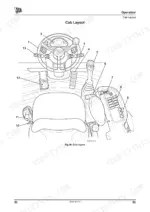
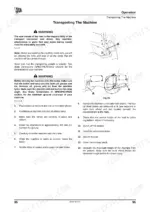
| Operation | 33-98 | Before Entering the Cab, Entering and Leaving the Cab, Doors and Windows (Opening and Closing the Doors) |
| Routine Maintenance | 99-156 | Service Requirements (Introduction, Owner/Operator Support, Service/Maintenance Agreements, Initial Service and Inspection, Lifting Regulations - Inspections and Tests, Obtaining Replacement Parts) |
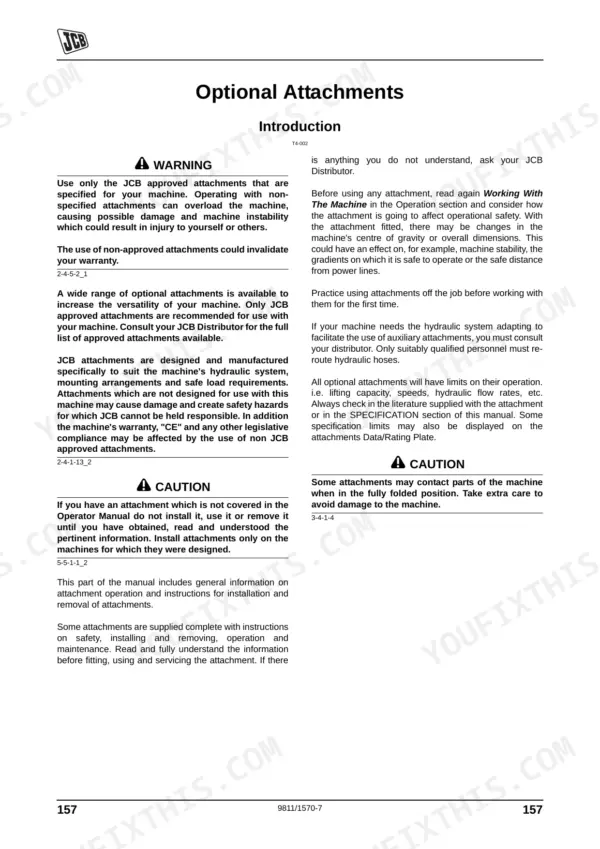
| Optional Attachments | 157-166 | Attachments for Your Machine, Quick Release Couplings (Connecting and Disconnecting), Venting the Service Hose Line |
| Specifications | 167-176 | Lifting Regulations and Safe Working Loads (Introduction, Loader Unit), Working Capacities, Static Dimensions, Noise Data, Vibration Data (Introduction, Graph) |
| Warranty Information | 177-190 | Machine Service Record Sheet, Vibration Data, Registration Information |
Quick Reference Specifications
| Specification | Value | Page |
|---|---|---|
| Engine (Oil) Capacity | 11.5L (MIN) to 14L (MAX) | p. 119 |
| Transfer Box Capacity | 1.3L | p. 119 |
| Engine Fuel Filter Strap Retaining Screw Torque | 24 Nm (17.7 lbf ft) | p. 154 |
| ROPS/FOPS mounting bolt torque | 200 Nm | p. 129 |
| Wheel Nut Torque (Front) | 680 Nm | p. 164 |
| Wheel Nut Torque (Rear) | 680 Nm | p. 164 |
JCB TM310, TM310S, TM310WM Common Problems This Manual Covers
JCB TM310 load moment indicator alarm sounding with all display LEDs flashing and a fault code shown
Press display button E to show the code for another 10 seconds, then switch the starter key off and on again. On page 71, Code 1 means the transducer is disconnected or its wiring is damaged. Codes 2 and 3 are calibration faults, Code 4 is an internal display fault and Code 5 means battery voltage is below 9 Volts. If the fault stays, call your JCB distributor. Do not repair the indicator yourself.
Manual Section: Diagnostic Fault Codes (LLMI) p. 71Boom extend and retract inoperative from the loader controls after an electronic control unit fault
Isolate the loader controls with the servo control inhibit switch. Open the fuse/relay panel door, then press the top or bottom of recovery switch A to move the boom, as shown on page 52. Use it only to recover the load and go gently: proportional flow is bypassed, so full hydraulic pressure acts on the circuit. Then have your JCB dealer fix the fault; do not repair it yourself.
Manual Section: Recovery Switch (Boom) p. 52Park brake lever engaged but the machine still fails the park brake test
Disengage the park brake so the lever is horizontal. Pull handle grip A forwards, turn it clockwise half a turn and push it back to lock the adjuster, as shown on page 136. Test the brake again and repeat if it still fails. If pin B is at the end of its travel and there is no adjustment left, stop adjusting and have your JCB dealer check the brake.
Manual Section: Park Brake Adjustment p. 136Battery terminal posts corroded with white powder and dirty connections at the battery leads
Disconnect the earth (-) lead first, and keep watch straps and metal fasteners clear of the positive (+) terminal so they can't short and burn you (page 137). Wash off white powder with hot water, and scrub heavy corrosion with a wire brush or abrasive paper. Coat the posts with petroleum jelly and reconnect the earth lead last. Electrolyte should be 6 mm above the plates; top up with distilled water, never acid.
Manual Section: Battery Disconnection/Connection p. 137Engine will not start during jump starting from a booster supply with a flat battery
Engage the park brake first, because the engine will not start unless it is on. Set all cab switches to off. Connect positive to positive, then connect negative to a clean frame earth away from and below the battery, never to a pivot pin (page 139). Never jump-start with a frozen battery or connect across the starter motor, and never use a booster supply with a higher voltage than the machine.
Manual Section: Jump Starting p. 139Air in the electronic fuel injection system after fuel filter maintenance before engine restart
Run the electric fuel lift pump A so the system bleeds itself, and get as much air out as possible before cranking (page 155). Running on air can damage the injection pump. Torque the fuel filter strap retaining screw to 24 Nm (17.7 lbf ft), as listed on page 154. Do not smoke while working on the fuel system (page 19), and follow the page 155 warning about opening the high pressure fuel system.
Manual Section: Fuel System Bleeding p. 155Frequently Asked Questions
What do the JCB TM310 electronic fault codes mean?
The manual lists five specific fault codes for the Load Moment Indicator: Error Code 1 indicates a transducer signal fault or damaged wiring; Error Code 2 and 3 indicate calibration issues; Error Code 4 indicates a display unit fault; and Error Code 5 indicates battery voltage is below 9 Volts. p. 71
What are the wheel-nut torque specifications for a JCB TM310?
The correct torque specification for both front and rear wheel nuts on the JCB TM310 is 680 Nm (500 lbf ft). p. 164
What engine oil and filter replacement spec does the JCB TM310, TM310S, TM310WM call for?
The engine oil capacity is 11.5 litres (2.5 UK gal) for the minimum level and 14 litres (3.1 UK gal) for the maximum level. The oil must meet SAE15W/40, ACEA E5/B3/A3, or API CH-4/SJ specifications. p. 119
How do I perform the initial service and inspection for a new machine?
It is essential that your JCB Distributor carries out an initial service and inspection when the machine is one month old or when it has completed 100 hours of operation, whichever occurs first. p. 109
What is the torque setting for the ROPS/FOPS mounting bolts on the JCB TM310, TM310S, TM310WM?
The ROPS/FOPS mounting bolts must be tightened to a torque setting of 200 Nm (147.5 lbf ft). p. 129
What exactly do I receive with this JCB TM310 Operator Manual?
You download the Operator Manual yourself: 190 pages, searchable PDF, available immediately. Keep a copy on every device you use.
Can I print pages of this JCB TM310 manual for my own shop?
Yes. Many buyers print one chapter at a time for their own shop and keep the rest on a tablet.
![JCB JS145W, JS160W, JS20 MH, JS145W [T4F], JS160W [T4F] operator station component location diagram and control list.](https://youfixthis.com/wp-content/uploads/2026/06/jcb-js145w-to-mh-wheeled-excavator-operator-manual-9831-5150-controls-29-150x150.webp)
Reviews
There are no reviews yet.