
Part of the JCB Operator Manuals.
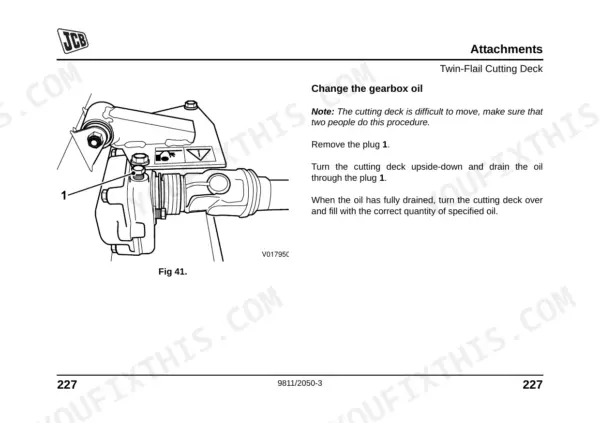
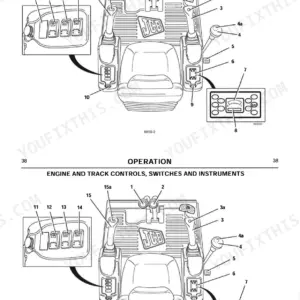
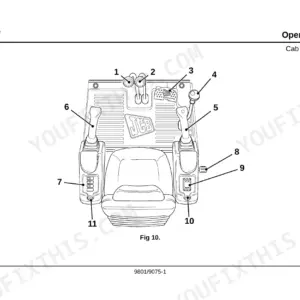
Every groundskeeper needs the right factory data, and this 252-page JCB FM30 Operator Manual PDF (OEM #9811/2050) delivers exactly what your JCB FM30 Lawn Mower requires. You get a complete breakdown of daily maintenance checks, dashboard controls, and clear diagrams and illustrations of the deck components. Open to the attachments section to find detailed setup instructions for both the 1.5-metre rotary and the heavy-duty twin-flail cutting decks. Top off the 50-litre fuel tank, confirm your front wheel bolts are torqued to 143 Nm, and swap out the fuel filter every 400 hours to keep the engine running smoothly. Down time in the middle of grass season is unacceptable. Download this bookmarked file directly to your phone or tablet, find the exact fluid capacity you need, and get back out on the turf.
What's Inside This JCB FM30, JCB FM30 Operator Manual
| System | Pages | Key Topics |
|---|---|---|
| Safety Notices | 7-8 | Important Information |
| Introduction | 9-42 | General Safety, Operating Safety, Maintenance Safety, Safety Decals, Identifying Your Machine |
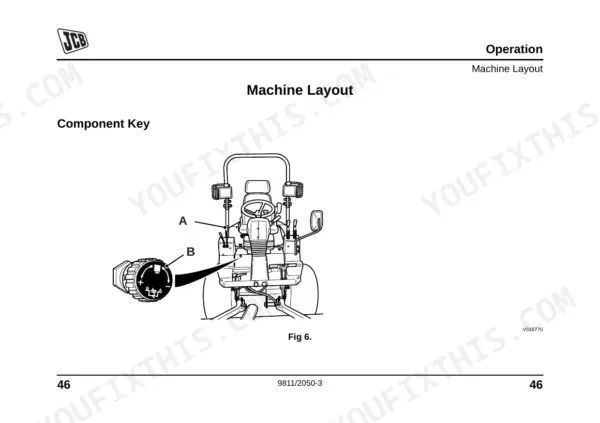
| Operation | 43-86 | Before Working with the Machine, Mounting and Dismounting the Mower, Seat Controls, Seat Belt, Machine Layout, Drive Controls, Switches and Instruments, Before Starting the Engine |
| Routine Maintenance | 87-180 | Service Requirements, Health and Safety, Service Schedules, Fluids, Lubricants and Capacities, Safety Checks, Cleaning the Machine, Checking for Damage |
| Attachments | 181-238 | And 1.8 Metre Rotary Cutting Decks, Twin-Flail Cutting Deck, Blade Sharpening |
| Specifications | 239-244 | General Data |
| Warranty Information | 245-252 | Machine Service Record Sheet, Registration Information |
Quick Reference Specifications
| Specification | Value | Page |
|---|---|---|
| Wheel bolt torques - Front | 143 Nm 105 lbf ft | p. 101 |
| Wheel bolt torques - Rear | 90 Nm 66 lbf ft | p. 101 |
| Fuel filter replacement interval | 400 hours | p. 98 |
| Air filter replacement interval | 200 hours, or yearly | p. 104 |
| Fuel Tank Capacity | 50 litres (11 gal) | p. 107 |
| Engine Oil Capacity | 5.5 litres (1.2 gal) | p. 107 |
| Hydraulic/Transmission Oil Capacity | 10 litres (2.2 gal) | p. 107 |
| Rear Axle Oil Capacity | 3.3 litres (0.7 gal) | p. 107 |
| Engine Coolant Capacity | 6 litres (1.3 gal) | p. 107 |
| Overall Height with Frame | 2320 mm (91.3 in.) | p. 239 |
JCB FM30, JCB FM30 Common Problems This Manual Covers
JCB FM30 engine turns over but won't start after sitting for winter storage
Drain old fuel and refill the tank up to the 50 litres (11 gal) capacity on page 107. Replace the fuel filter if it has exceeded the 400 hours interval on page 98. Check the spark plug condition and verify the battery is fully charged.
Manual Section: Engine Starting and Running Problems p. 107Engine overheating and dashboard warning light flashing while operating the cutting deck
Inspect the air intake grille and radiator fins for clogged grass clippings as shown. Clean the cooling system thoroughly. Check the engine oil dipstick to ensure the level does not exceed the 5.5 litres (1.2 gal) maximum capacity listed on page 107.
Manual Section: Engine OverheatingSevere vibration and excessive wheel noise while driving across uneven turf terrain
Inspect all wheel hardware for loose fasteners. Tighten the front wheel bolts to 143 Nm (105 lbf ft) and the rear wheel bolts to 90 Nm (66 lbf ft) as specified on page 101. Refer to the tyre pressure specification in the manual for the correct inflation value.
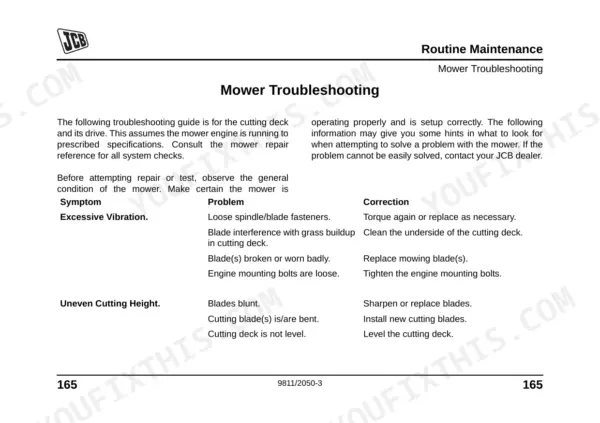
Manual Section: Excessive Vibration and Noise p. 101Uneven cutting height and severe grass streaking when the mower deck is engaged
Check the blades for wear or damage. Verify the blade fastening bolts are tightened to the torque specified in the Attachments section of the manual (see the 1.5 and 1.8 Metre Rotary Cutting Decks specifications, page 207). Clean any packed grass from under the deck to restore proper airflow.
Manual Section: Mower Cutting Performance Issues p. 207Frequently Asked Questions
What are the torque specs for JCB FM30 fasteners?
The manual specifies torque settings for key fasteners. Front wheel bolts must be torqued to 143 Nm (105 lbf ft) and rear wheel bolts to 90 Nm (66 lbf ft) per page 101. The blade fastening bolt torque is also specified in the Attachments section — refer to the manual for the exact value. p. 101
How do I service or maintain a JCB FM30 mower?
To service or maintain your JCB FM30 mower, refer to the Routine Maintenance section starting on page 87. It covers service requirements and schedules — including daily, 50-hour, 200-hour, and 400-hour checks — to keep the machine running at peak efficiency. For specialist work, contact an approved JCB Distributor. p. 87
What are the replacement specifications for Fuel filter?
The manual requires changing the fuel filter every 400 hours as part of routine maintenance. When installing a replacement filter, pay close attention to the flow direction marked on the filter body. p. 100
How do you fix JCB FM30 engine turns over but won't start after sitting for winter storage?
Drain old fuel and refill the tank up to the 50-litre (11 gal) capacity shown on page 107. Replace the fuel filter if it has exceeded the 400-hour interval per page 98. Check spark plug condition and verify the battery is fully charged before attempting to start. p. 107
What do I get after purchasing this JCB FM30 manual?
Instant PDF download. You get the full 252-page searchable Operator Manual immediately after payment. Open it on your laptop, tablet, or phone right in the shop.
Can I print specific sections of this JCB FM30 Operator Manual?
Yes. Many mechanics print the section they need for their own shop and bring it to the bench.











Reviews
There are no reviews yet.