
Part of the JCB Operator Manuals.
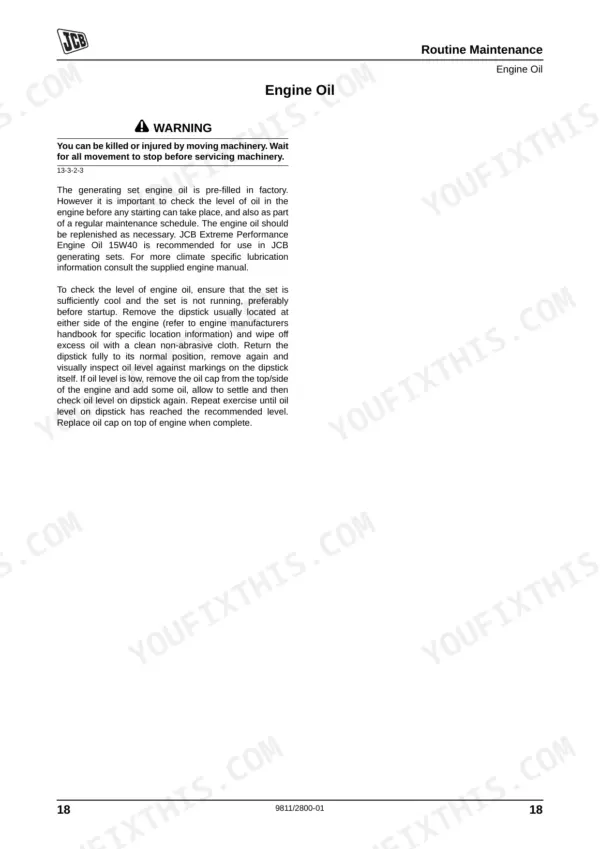
Looking for the exact factory operation guidelines for your generator? This 129-page JCB G17–G33 Series Operator Manual PDF (OEM #9811/2800) breaks down the complete digital control panel, routine maintenance, and engine care for the G17, G17Q, G20R, G22, G22Q, G30R, G33, and G33Q variants. You get detailed wiring diagrams for electrical troubleshooting, a full list of system error codes, and clear dashboard indicator explanations. Open the routine service section to find exact fluid capacities and safety procedures to keep your unit running without interruption. Verify your battery cell fill level sits squarely between 8 and 15 mm above the plates, and tighten the lubricating oil filter cartridge to exactly 27 Nm during your next service. Your crew depends on reliable temporary power, so do not guess on the maintenance details. Download the bookmarked file directly to your tablet and get the job done right.
What's Inside This JCB G 17–33 Series Operator Manual
| System | Pages | Key Topics |
|---|---|---|
| Introduction | 7-10 | - |
| Installation | 11-13 | Lifting, Avr Settings and Type, Protection |
| Routine Maintenance | 14-26 | Service Requirements, Health and Safety, Lubricants, Battery, First Aid - Electrolyte |
| JCB Digital Control Panel | 27-34 | Introduction, Top Level Screen, Application Modes (Standard Operation, ATP7 Operation), Start and Stop the Machine (Manual Mode, Manual ATP7 Operation, Automatic Mode) |
| Information Screens | 35-45 | Top Level Screen, Mains Overview Screen, Generating Set Overview Screen, Mains Value Details, Generator Peak Currents, Analogue Inputs, Digital Inputs and Outputs, Real Time Clock |
| Alternator | 46-63 | Safety Precautions, Introduction, Designation, Alternator Terminal Connections (Series Star, Parallel Star, Series Delta, Double Delta, Parallel Zig-Zag) |
| Engine - Care and Safety | 64-73 | Important Information (Operator Manual, Safety Warnings), Safety, Yours and Others, Checklists (Operating Safety, Maintenance Safety) |
| Engine - Identifying the Engine | 74-75 | Engine Type, Engine Identification Plate, Cylinder Numbering |
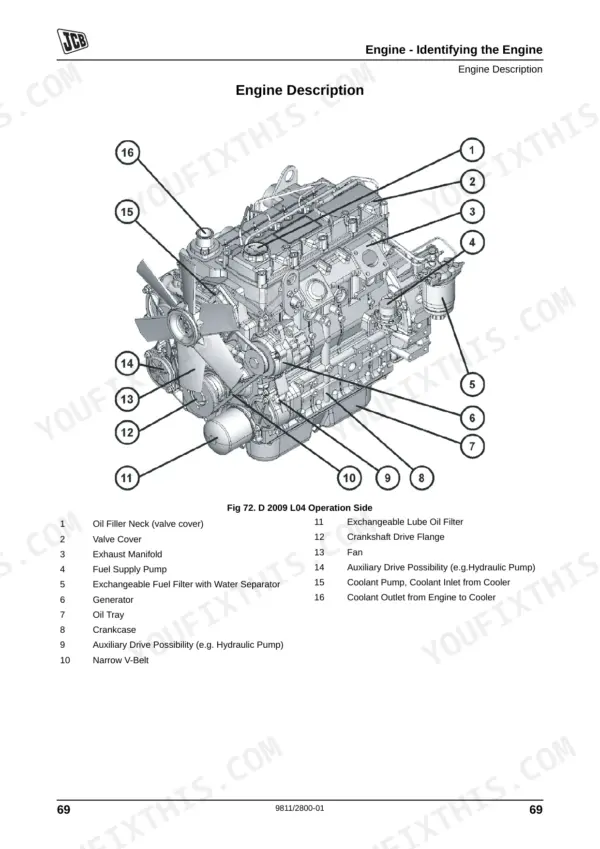
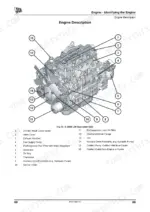
| Engine Description | 76-81 | Oil Filler Neck, Valve Cover, Exhaust Manifold, Fuel Supply Pump, Generator, Crankcase |
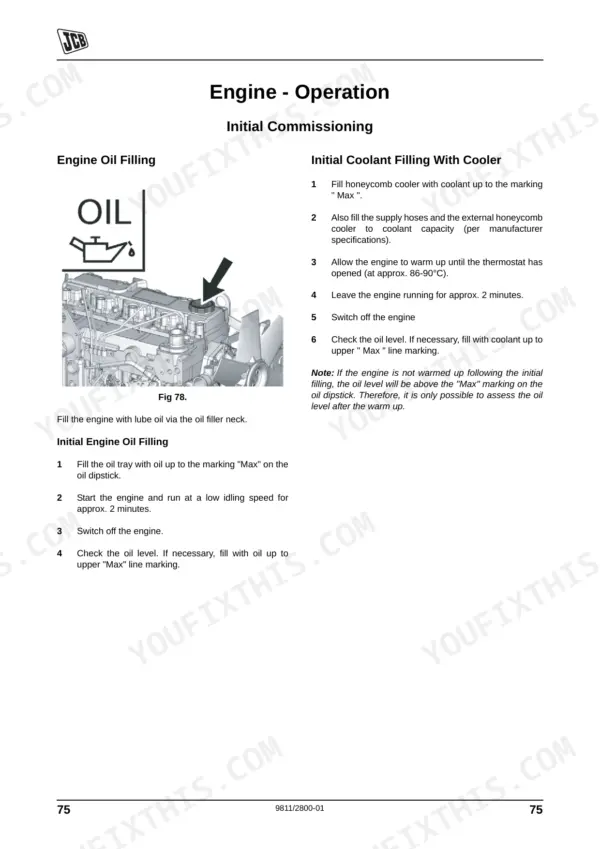
| Engine - Operation | 82-87 | Initial Commissioning (Engine Oil Filling, Initial Coolant Filling with Cooler, Fuel Filling, Other Preparations, Additional Maintenance Work), Starting (Electrical Starting) |
| Engine - Operating Substances | 88-90 | Lubricating Oil (Quality, Viscosity), Fuel (Quality, Winter Fuel), Coolant (Water Quality for Coolant, Preparation, Cooling System Preservatives) |
| Engine - Maintenance | 91-129 | Lubrication System, Fuel System |
Quick Reference Specifications
| Specification | Value | Page |
|---|---|---|
| Lubricating Oil Filter Cartridge Torque | 27 Nm | p. 109 |
| Battery Electrolyte Specific Gravity (cold climates) | 1.27 - 1.28 kg/l at 25ºC | p. 21 |
| Battery Electrolyte Specific Gravity (hot/tropical climates) | 1.25 - 1.26 kg/l at 25ºC | p. 21 |
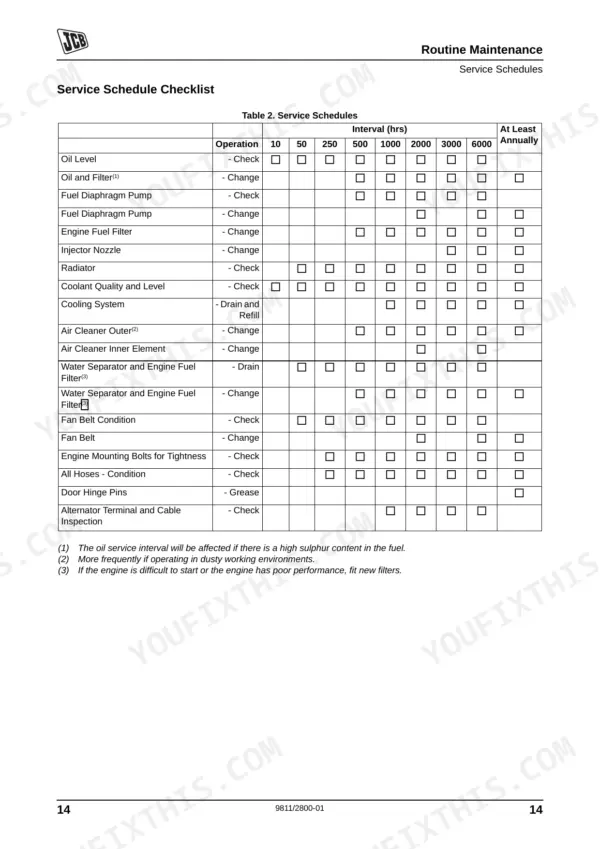
| Water Separator and Engine Fuel Filter Drain Interval | 10 hours, 50 hours, 250 hours, 500 hours, 1000 hours, 2000 hours, 3000 hours, 6000 hours, Annually | p. 20 |
| Water Separator and Engine Fuel Filter Change Interval | 500 hours, 1000 hours, 2000 hours, 3000 hours, 6000 hours, Annually | p. 20 |
| Engine Oil and Filter Change Interval | 50 hours, 250 hours, 500 hours, 1000 hours, 2000 hours, 3000 hours, 6000 hours, Annually | p. 20 |
| Air Cleaner Outer Element Change Interval | 500 hours, 1000 hours, 2000 hours, 3000 hours, 6000 hours, Annually | p. 20 |
| Air Cleaner Inner Element Change Interval | 2000 hours, 3000 hours, 6000 hours | p. 20 |
| All Hoses Condition Check Interval | 50 hours, 250 hours, 500 hours, 1000 hours, 2000 hours, 3000 hours, 6000 hours, Annually | p. 20 |
| V-Belt Tension (pre-tighten/re-tighten) | 450/350 +/-20 N | p. 108 |
| Fan Belt Condition Check Interval | 10 hours, 50 hours, 250 hours, 500 hours, 1000 hours, 2000 hours, 3000 hours, 6000 hours, Annually | p. 20 |
| Minimum Oil Pressure in Warm Engine (100 °C/230 °F at max. 3000 rpm) | 200 kPa / 2 bar | p. 108 |
JCB G 17–33 Series Common Problems This Manual Covers
JCB G17 generator set will not start or turns over slowly in cold weather conditions
Test the battery terminals with a multimeter. If the reading drops below 12.4V, charge the battery immediately as shown on page 17. Verify the digital control panel is set to Automatic Mode and ensure the emergency stop button is fully reset.
Manual Section: Routine Maintenance p. 17Engine coolant temperature warning light flashing on the digital control panel and engine lacks power
Inspect the air filter outer element and check the maintenance schedule on page 20. Clean the soiled air filter cartridge using compressed air at a maximum of 5 bar as detailed on page 100. Verify the cooling fan V-belt is not torn or loose.
Manual Section: Engine - Maintenance p. 100Dashboard displays a low oil pressure warning indicator and triggers an immediate automatic engine shutdown
Check the engine oil level using the dipstick while the machine sits on level ground. Ensure the minimum oil pressure in a warm engine running at 3000 rpm reaches 200 kPa / 2 bar as listed on page 108. Add the correct SAE class oil if low.
Manual Section: Engine - Maintenance p. 108Frequent nuisance shutdowns or failure to run in standby mode during a localized power cut
Verify the controller is correctly set to automatic mode on the digital control panel. Run the generator set for a recuperation cycle of 1-2 hours twice weekly without an onboard charger, as advised on page 22. Inspect the earth leakage trip switch.
Manual Section: Routine Maintenance p. 22Frequently Asked Questions
How do I reset the alarm/code on a JCB G17/G17Q/G20R/G22/G22Q/G30R/G33/G33Q generator set?
To reset an alarm on a JCB G17/G17Q/G20R/G22/G22Q/G30R/G33/G33Q generator set, you must acknowledge the alarm. This is done by pressing the soft key indicated by the "Reset and Acknowledged Alarm" icon (Fig 23, page 33). Once acknowledged, the indicator light stops flashing and the horn is reset. p. 33
What does the error code mean on a JCB G17/G17Q/G20R/G22/G22Q/G30R/G33/G33Q?
The manual lists various "Possible Alarms" which function as error codes, each with a specific meaning. For example, "Overspeed 1" indicates the engine has experienced an overspeed condition (above the first overspeed set limit), while "Batt. Undervolt.1" alerts the user that the starting battery voltage is below the expected level. A full list of these alarms and their descriptions can be found on pages 36-37. p. 42
How do I clear a fault on a JCB generator set?
To clear a fault on a JCB generator set, an alarm must first be acknowledged from the "Alarm List" screen on the JCB Digital Control Panel (page 33). For specific faults, refer to the "Engine - Fault Finding" section (pages 97-99) which provides detailed "Action" steps to remedy the cause, such as checking connections or changing components. p. 33
What are the torque specs for JCB G17/G17Q/G20R/G22/G22Q/G30R/G33/G33Q service bolts?
The torque specifications for various service bolts on the JCB G17/G17Q/G20R/G22/G22Q/G30R/G33/G33Q generator set are listed in the "Torque Settings" table on page 109. For example, the Cylinder Head Cover requires 27 Nm, the Oil Drain Screw Sheet Metal Oil Tray requires 32 Nm (M14x1.50), and the Starter requires 41 Nm. p. 109
Is this JCB G17–G33 Series Operator Manual a digital download?
Immediate download of the complete 129-page searchable Operator Manual. Access it on any device, from a laptop at your desk to a phone in the field.
Are there any print restrictions on this manual?
Yes. The PDF has no DRM restrictions, so print any page or section you need for your shop. Works with any standard printer.
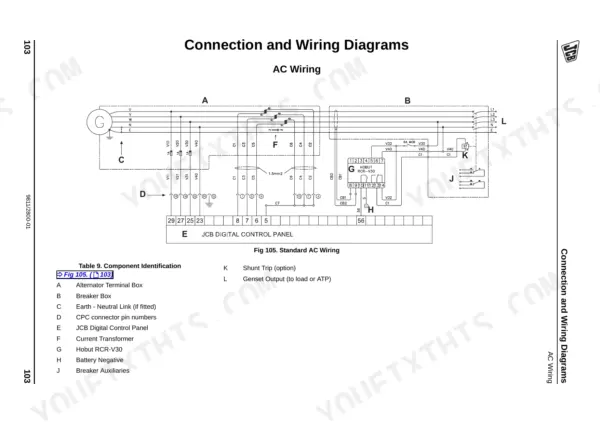
Are there wiring harness diagrams in this JCB G17–G33 Series manual?
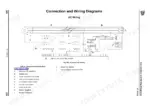
Yes, this JCB G17–G33 Series Operator Manual includes a wiring diagram for the electrical system.










Reviews
There are no reviews yet.