
Part of the JCB Operator Manuals.
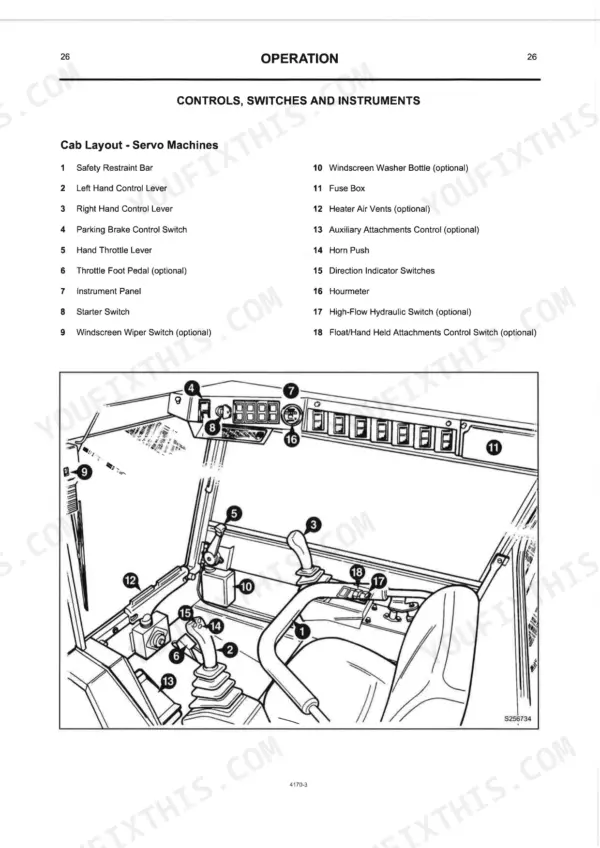
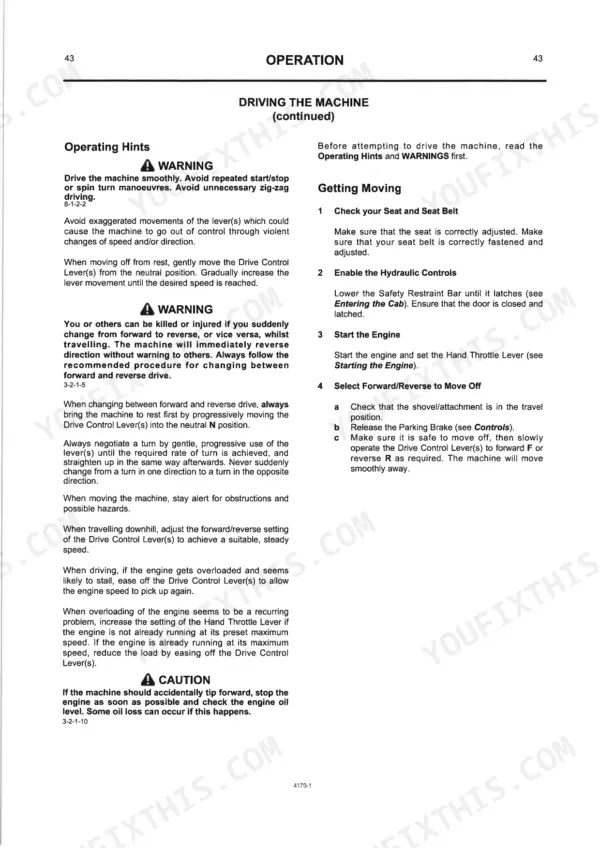
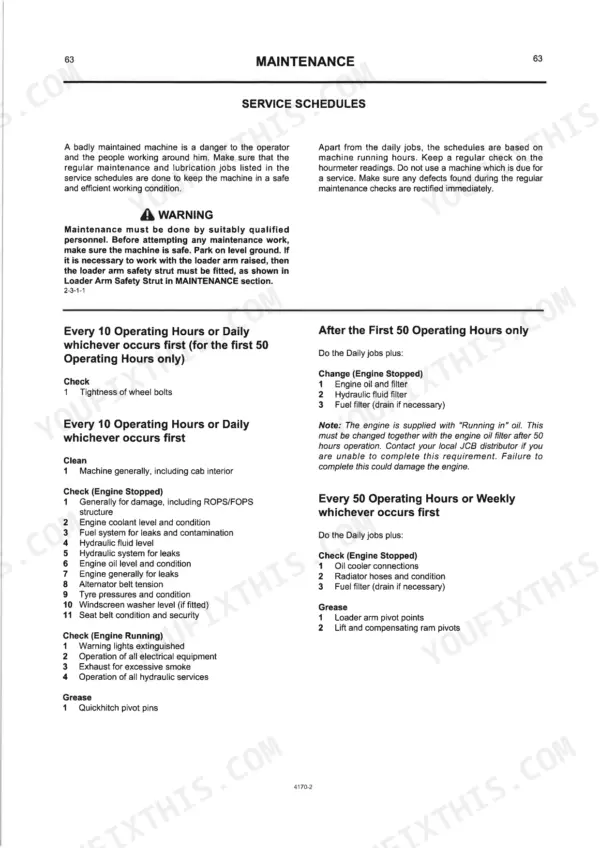
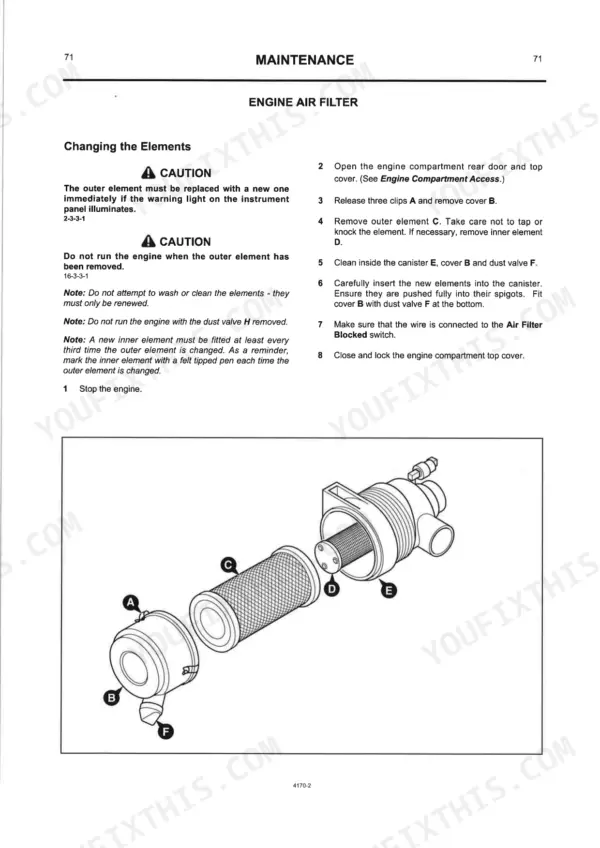
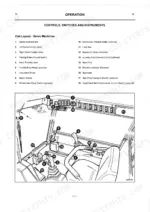
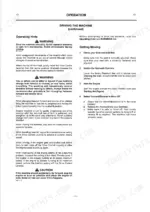
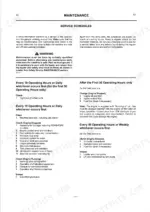
Need to figure out a dashboard fault or daily service schedule? This 100-page JCB Robot 150, 165, 165HF Operator Manual PDF (OEM #9801/4170) maps out the complete cab controls, safety restraint systems, and daily maintenance schedules for your skid steer loader. Inside, you get a full breakdown of the warning indicators, quickhitch control procedures, and service interval schedules from the first 50 hours onward. Open to the fluid capacities section to see exactly what your machine needs to run strong, including safe operating practices for both servo and manual control setups. Top off the 65-liter hydraulic system and verify your wheel bolts are torqued to 405 Nm before heading to the job site. An ignored dashboard warning light costs money. Download this bookmarked file directly to your phone, verify your fluid levels, and get to work.
Other edition of this manual
- JCB Robot 150, 165 Skid Steer Loader Operator Manual Original price was: $28.99.$19.99Current price is: $19.99.
What's Inside This JCB ROBOT 150, ROBOT 165 Operator Manual
| System | Pages | Key Topics |
|---|---|---|
| Introduction | 7-16 | About this Handbook, The JCB Skid Steer Loader, Safety First - Yours and Other People's, Safety Decals, Identifying Your Machine, JCB Immobiliser Option |
| Operation | 17-50 | Introduction, Before Entering the Cab, Entering/Leaving the Cab (Safety Restraint Bar), Cab Door and Vents (Opening and Closing the Cab Doors, Ventilation of Optional Glazed Cab) |
| Maintenance | 51-78 | Lubricants - Health and Safety (Hygiene, Storage, Waste Disposal, Handling, First Aid - Oil, Spillage, Fires), Service Requirements |
| Optional Attachments | 79-88 | Introduction, Quick Release Couplings, Connecting/Disconnecting Hydraulic Hoses, Attachments Controls, Shovels, Pallet Forks, Manure/Silage Fork with Top Grab, Attachment Frame |
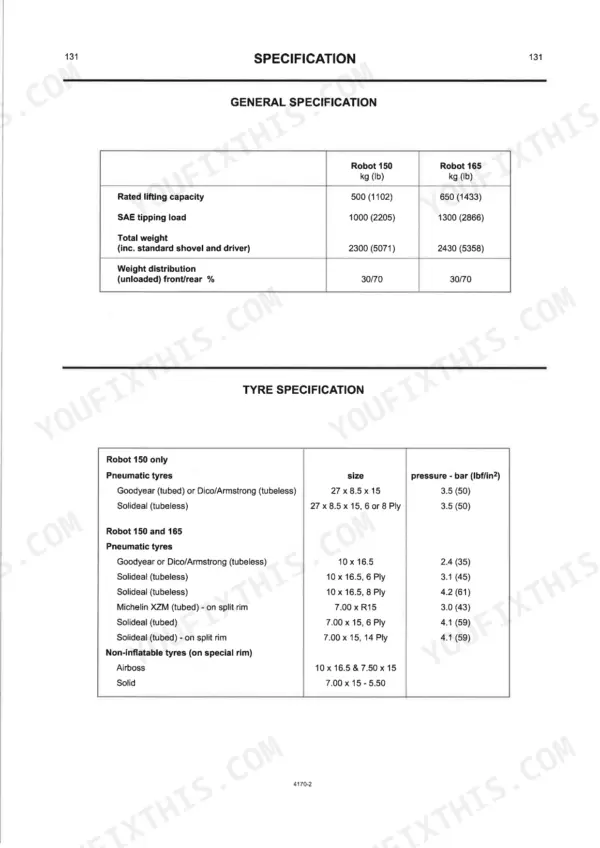
| Specification | 89-94 | General Specification, Static Dimensions, Noise and Vibration Data |
| Service Record Sheet | 95-98 | Distributor Preparation, First 50 Hours, 250 Hrs./3 Months, 500 Hrs./6 Months, 1000 Hrs./12 Months, 2000 Hrs./24 Months |
| Warranty and Procedure | 99-100 | Manufacturer's Liability, Defective Parts, Registration Card, Service Requirements, Genuine Parts, Warranty Validity |
Quick Reference Specifications
| Specification | Value | Page |
|---|---|---|
| All Models | ||
| Wheel Bolt Torque | 405 Nm (298 lbf ft, 41 kgf m) | p. 77 |
| Fuel Filter Bolt C Torque | 8-11 Nm (6-8 lbf ft, 0.8-1.1 kgf m) | p. 69 |
| Engine Oil Capacity | 8.2 litres | p. 78 |
| Hydraulic System Capacity | 65 litres | p. 78 |
| Cooling System Total Coolant Mixture | 11 litres | p. 78 |
| Fuel System Capacity | 60 litres | p. 78 |
| Alternator Belt Slack | 10 mm | p. 66 |
| Fuel Filter Bolt Torque | 8 Nm | p. 69 |
| Robot 150 | ||
| Rated Lifting Capacity, Robot 150 | 500 kg | p. 89 |
| SAE Tipping Load, Robot 150 | 1000 kg | p. 89 |
| Robot 165 | ||
| Rated Lifting Capacity, Robot 165 | 650 kg | p. 89 |
| SAE Tipping Load, Robot 165 | 1300 kg | p. 89 |
JCB ROBOT 150, ROBOT 165 Common Problems This Manual Covers
Engine hesitates or stalls out completely after filling the fuel tank with fresh diesel
Drain accumulated water from the fuel filter housing. Replace the fuel filter element if the issue persists. Tighten the fuel filter bolt to 8-11 Nm to prevent air leaks, referencing the torque values on page 69. Prime the fuel system.
Manual Section: Fuel System - Draining the Fuel Filter / Changing the Fuel Filter Element p. 69Frequently Asked Questions
How do I reset the security / immobilizer on a JCB Robot 165?
To deactivate the JCB Immobiliser, insert the Electronic key into the receptacle and remove it within 10 to 15 seconds. If the Immobiliser key remains inserted for longer than 15 seconds, the L.E.D. will flash, indicating activation; in this case, remove the key, then re-insert and remove it within 5 to 10 seconds to deactivate. p. 15
How do you fix JCB Robot 150 hydraulic charge pressure warning light illuminates on dashboard during normal operation?
Check hydraulic fluid level using the sight glass. Fill the reservoir to the correct level, ensuring total system capacity does not exceed 65 litres as listed on page 78. Inspect all hydraulic hoses and quick release couplings for visible leaks before starting the machine. Also, check the hydraulic oil filter as a blocked filter is a possible cause of low hydraulic charge pressure, as described in the Hydraulic System section. p. 27
How do you fix engine water temperature runs high and alternator warning light flashes intermittently while under load?
Inspect the engine alternator belt for excessive wear or glazing. Adjust the tension until the alternator belt slack measures exactly 10 mm, following the procedure on page 66. Verify the cooling system is full with 11 litres of proper coolant mixture. p. 66
How do you fix machine experiences poor traction and wheel lug nuts feel loose during daily walkaround inspection?
Verify all wheel hardware is tight before operating the loader. Torque all wheel bolts to 405 Nm using a calibrated torque wrench, as specified on page 77. Inspect the drive motor mounting points for any signs of movement or component wear. p. 77
What do I get after purchasing this JCB Robot 150 manual?
This is a 100-page searchable PDF ready for immediate download. Works on any device, so pull it up on your phone while you're under the hood. No shipping, no waiting.
Am I able to print pages from this manual?
Yes. Print a chapter or just the pages for the job at hand, for use in your own shop. Any home or office printer works.











Reviews
There are no reviews yet.