
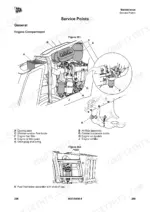
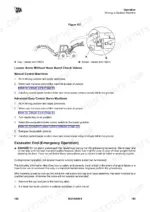
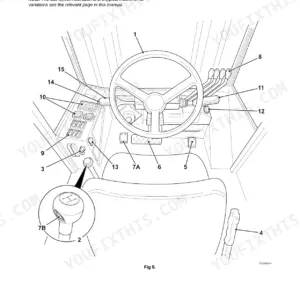
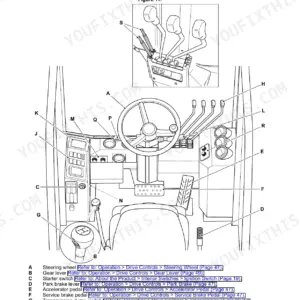
Keep your 2018 backhoe loader running smoothly with this 430-page JCB 3CX, 4CX, 5CX Operator Manual PDF (OEM #9831/0400). Complete daily maintenance schedules, dashboard indicator explanations, and full operating procedures for both the loader and excavator ends are all inside. Open the service section to find detailed attachment guidelines, quickhitch instructions, and a complete breakdown of functional tests to perform before starting your shift. Verify that your wheel nuts are torqued to 680 N-m and top off the 130-liter hydraulic system with HP46 fluid before heading to the job site. Missing a daily check can cost you thousands in unnecessary repairs. Download this bookmarked file to your tablet, keep it right in the cab, and stay productive all season.
Other editions of this manual
- JCB 3CX, 4CX ECO Backhoe Loader Operator Manual Original price was: $29.99.$19.99Current price is: $19.99.
- JCB 3CX, 4CX Operator Manual Original price was: $26.99.$19.99Current price is: $19.99.
- JCB 3CX, 4CX Backhoe Loader Operator Manual Original price was: $30.99.$19.99Current price is: $19.99.
What's Inside This JCB 3CX, 4CX, 5CX Operator Manual
| System | Pages | Key Topics |
|---|---|---|
| Acronyms Glossary | 13-14 | 2WD, 2WS, 4WD, 4WS, Arv, Aws |
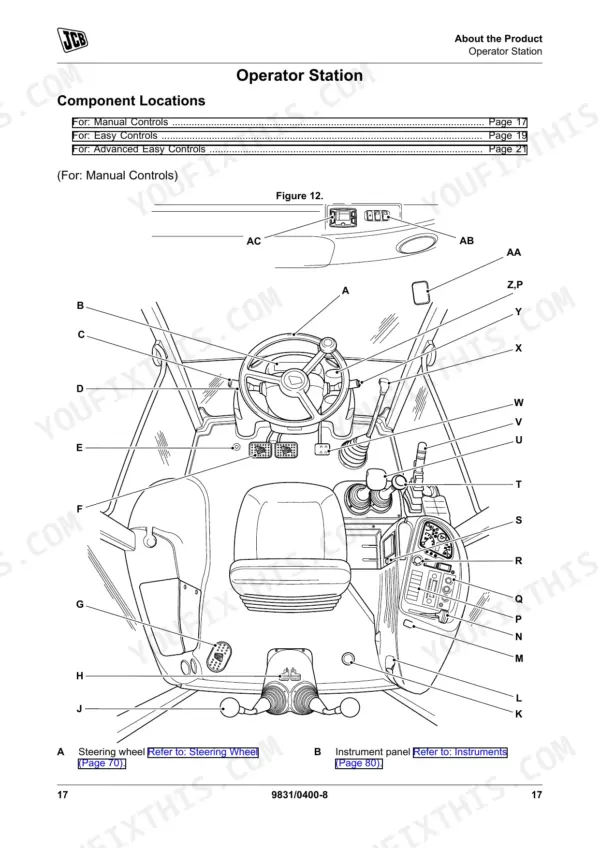
| About the Product | 21-44 | Introduction, Product and Component Identification, Axle, Gearbox, Operator Protective Structure, Safety Labels, Operator Station |
| Operation | 45-210 | Introduction, Operating Safety, Worksite Safety, Risk Assessment, Walk-Around Inspection, Entering and Leaving the Operator Station, Doors, Windows |
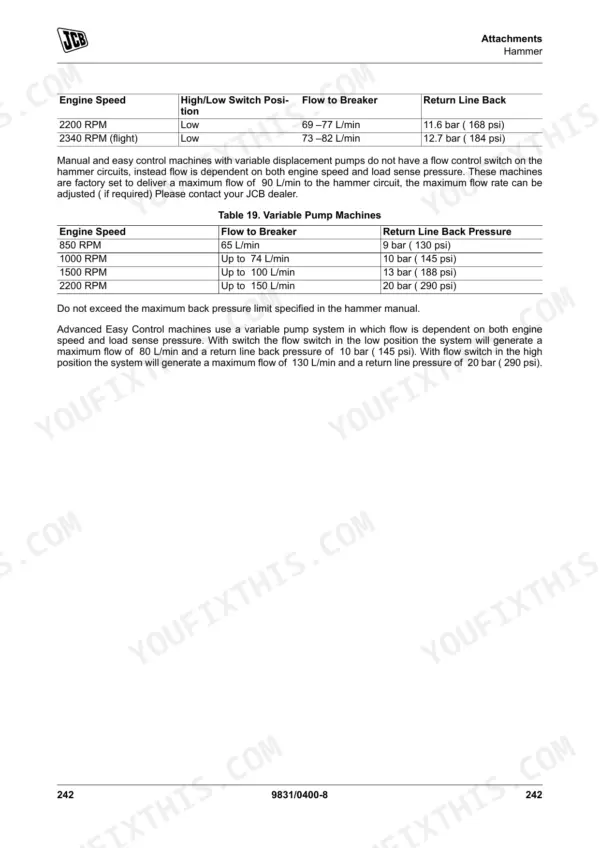
| Attachments | 211-256 | Working with Attachments, Connecting/Disconnecting Hydraulic Hoses, Direct-Mounted Attachments, Tool Carrier, Quickhitch, Loader Quickhitch Carriage, Excavator End Quickhitch |
| Preservation and Storage | 257-262 | Cleaning, Preparation, Checking for Damage, Storage, During Storage, Security |
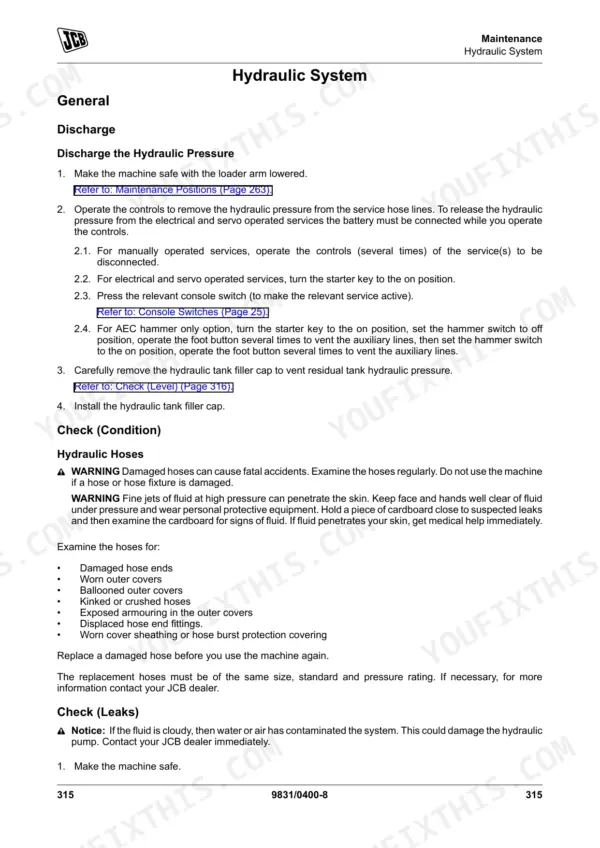
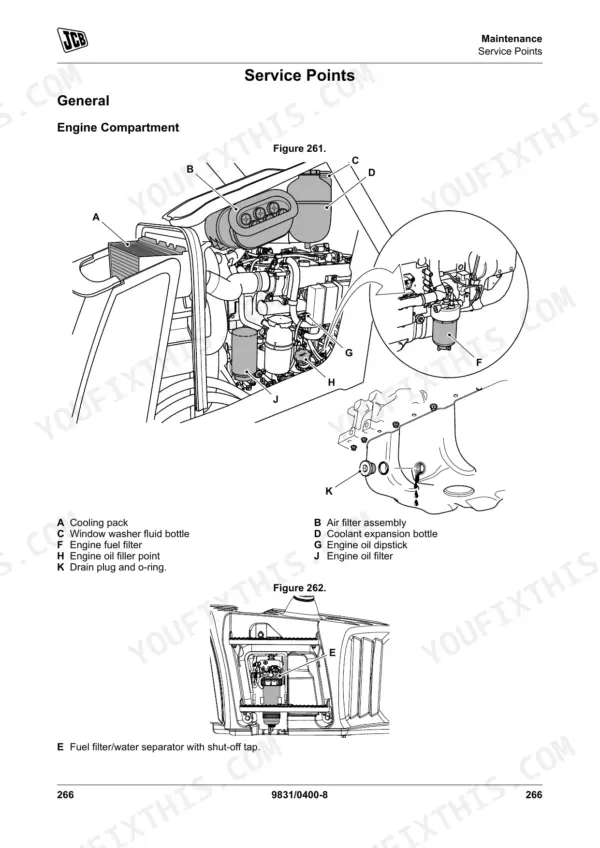
| Maintenance | 263-342 | Introduction, Service/Maintenance Agreements, Maintenance Safety, Fluids and Lubricants, Maintenance Schedules, Functional Tests and Final Inspection, Maintenance Positions |
| Technical Data | 343-422 | Static Dimensions, Weights, Visibility Diagrams, Performance Dimensions, Excavator End Dimensions and Performance, Excavator End Quickhitch Dimensions and Performance |
| Warranty Information | 423-430 | Service Record Sheet |
Quick Reference Specifications
| Specification | Value | Page |
|---|---|---|
| Service interval reset procedure | Short press the information button to display RESET and sound a buzzer tone. | p. 102 |
| Wheel nuts torque | 680 N·m | p. 391 |
| Standard battery specification | 12 V, 900 cold crank amperes | p. 392 |
| Heavy duty battery specification | 12 V, 1000 cold crank amperes | p. 392 |
| Hydraulic system capacity (JCB hydraulic fluid HP46 above 38 °C) | 130 L | p. 384 |
| Hydraulic system capacity (JCB Hydraulic Fluid HP32 below 38 °C) | 130 L | p. 384 |
| Engine coolant capacity (Wet) | 20.5 L | p. 383 |
| Engine coolant capacity (Dry) | 23.5 L | p. 383 |
| Diesel fuel tank capacity | 150 L | p. 383 |
| DEF tank capacity | 20 L | p. 383 |
| Engine oil capacity (Minimum) | 12 L | p. 383 |
| Engine oil capacity (Maximum) | 15 L | p. 383 |
JCB 3CX, 4CX, 5CX Common Problems This Manual Covers
JCB 3CX backhoe engine turns over slowly or fails to start with dashboard battery warning light illuminated
Inspect battery cables for corrosion and secure all terminal connections. Verify the installed battery meets the minimum 12 V, 900 cold crank amperes specification listed on page 392. Attempt a jump start if voltage is low, but ensure the alternator belt is tight before running the machine.
Manual Section: Technical Data p. 392Loader and excavator attachments fail to respond or move slowly after initial morning startup
Check the hydraulic system capacity on page 384 and verify fluid is visible in the sight glass. Add JCB hydraulic fluid HP46 if below the minimum mark. The total capacity is 130 L above 38 °C. Inspect all hoses for kinks or displaced fittings.
Manual Section: Technical Data p. 384Engine temperature gauge spikes into the red zone and coolant warning alarm sounds
Inspect the radiator fins for blockages and clear any debris. Verify the coolant concentration protects against damage down to -40 °C (-40 °F) as specified on page 389. Top off the expansion tank to the MAX mark if low. Check for visible leaks under the machine.
Manual Section: Technical Data p. 389Machine refuses to move forward or reverse when placed in gear with safety logic locked
Verify the park brake is fully released and test the operational limit on page 72. Ensure the lever sits within the 20% (11.3 degrees) specification. Check the operator seat switch to confirm the safety interlock is disengaged. Inspect the forward and reverse shuttle lever connections.
Manual Section: Operation p. 72Frequently Asked Questions
How do I reset a JCB 3CX service light?
To reset the service interval after a machine service, short press the information button on the digital display. The display will show 'RESET' and a buzzer tone will sound to acknowledge the reset. This procedure is detailed on page 98 and Figure 61. p. 98
How do I reset a JCB 4CX maintenance warning?
To reset the maintenance warning, which is typically related to the service interval, short press the information button on the digital display. The display will show 'RESET' and a buzzer tone will sound to acknowledge the reset. This process is described on page 98 and Figure 61. p. 98
How do I clear a JCB 5CX error code?
To clear a fault code like U191709 (Flat Battery, Low Battery, Jump Starting), turn the ignition key to the off position, wait for 40 seconds, then turn it back to the on position. If necessary, re-enter the immobiliser access code. Check if the fault code is still present in the instrument cluster display; if not, continue normal operation. p. 194
What are the replacement specifications for Battery?
For replacement, a standard battery should be 12 V with 900 cold crank amperes. A heavy-duty battery should be 12 V with 1000 cold crank amperes. These specifications are listed in Table 81 of the manual. p. 392
What format is this manual in?
Immediate download of the complete 430-page searchable Operator Manual. Access it on any device, from a laptop at your desk to a phone in the field.
Can I print this manual?
Yes. Print a chapter or just the pages for the job at hand, for use in your own shop. Any home or office printer works.

Reviews
There are no reviews yet.