
Every one of the 266 pages in this JCB 3CX Operator Manual PDF (OEM #EN - 9821/9250 ISSUE 7 - 01/2018) is designed to keep your backhoe loader running smoothly on the job site. Inside, you get complete daily maintenance schedules, detailed dashboard indicator explanations, and step-by-step operating procedures for working with attachments like the quickhitch and hammer. Open to the technical data section to find exact fluid capacities, error code troubleshooting steps, and routine service point locations. Confirm your fuel tank holds exactly 127L before a long shift, and torque the engine sump drain plug to 40-60 N-m during your next oil change. Your machine earns money when it works, not when it sits waiting for answers. Download this bookmarked file directly to your tablet and keep the factory specs in the cab where they belong.
Other editions of this manual
- JCB 3CX, 4CX ECO Backhoe Loader Operator Manual Original price was: $29.99.$19.99Current price is: $19.99.
- JCB 3CX, 4CX, 5CX Backhoe Loader Operator Manual Original price was: $29.99.$19.99Current price is: $19.99.
- JCB 3CX, 4CX Operator Manual Original price was: $26.99.$19.99Current price is: $19.99.
What's Inside This JCB 3CX Operator Manual
| System | Pages | Key Topics |
|---|---|---|
| Acronyms Glossary | 12 | Two Wheel Drive, Four Wheel Drive, Electronic Control Unit, Falling Object Protective Structure, Heating Ventilation Air Conditioning, Limited Slip Differential |
| Introduction | 13-14 | General, Name and Address of the Manufacturer, Product Compliance |
| Safety | 15-18 | Safety - Yours and Others, General Safety, Clothing and Personal Protective Equipment (Ppe) |
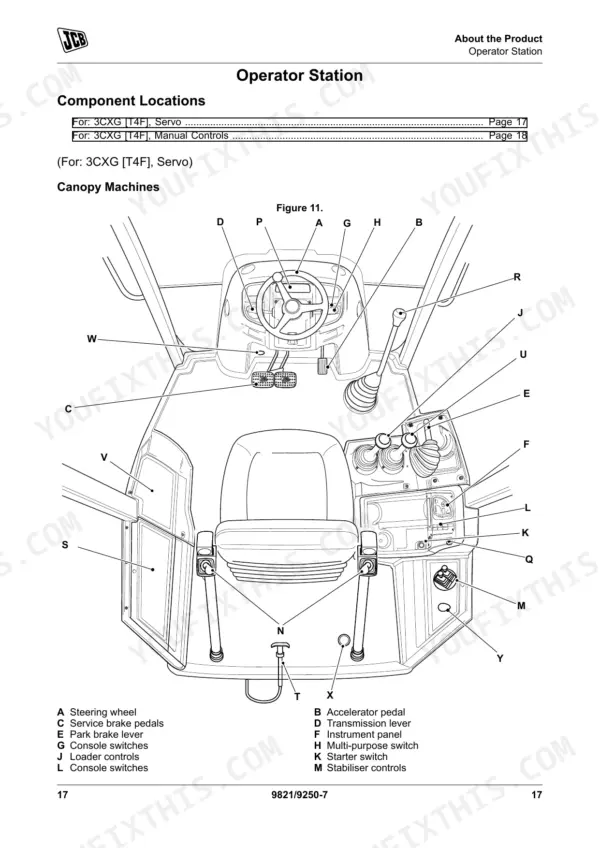
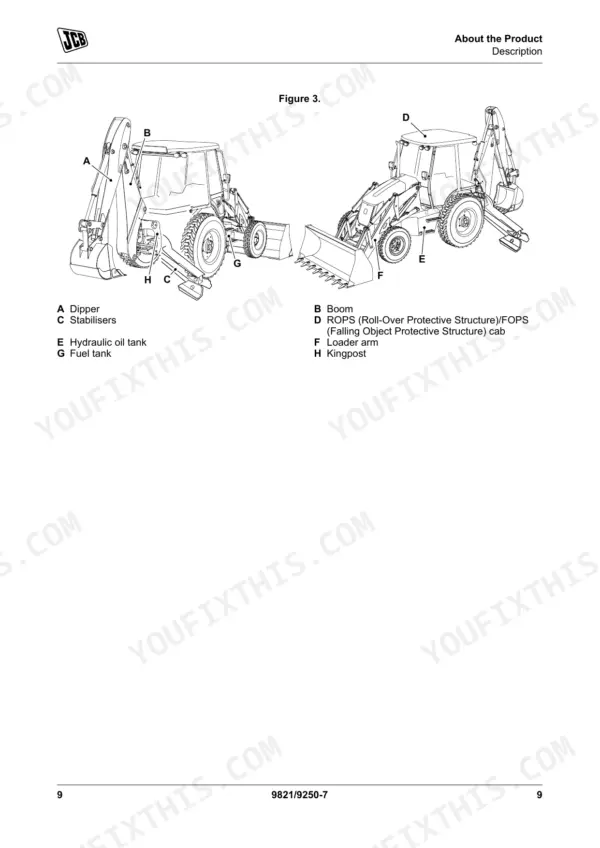
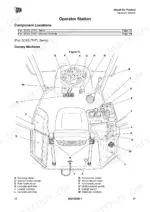
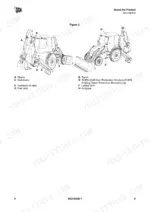
| About the Product | 19-38 | Description (General, Intended Use, Log Moving/Object Handling, Optional Equipment and Attachments, Danger Zone, Main Component Locations) |
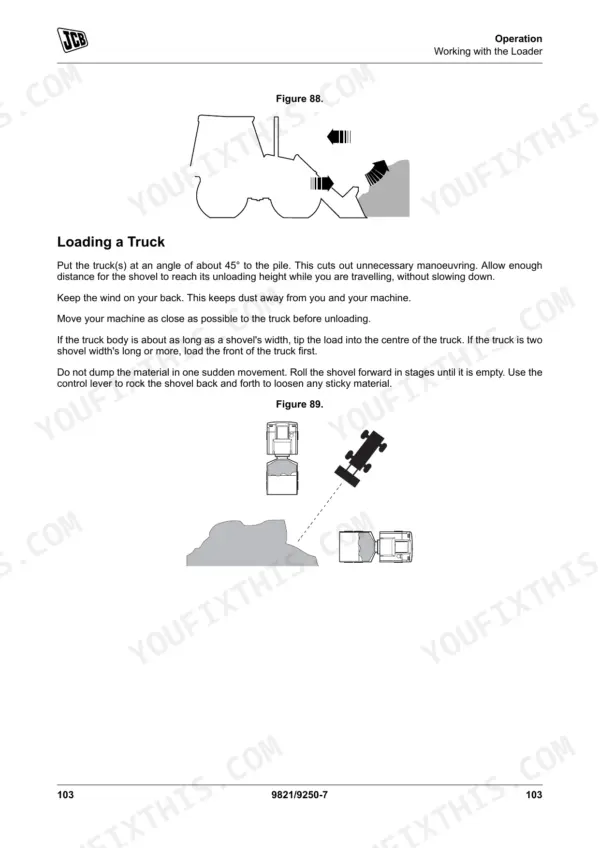
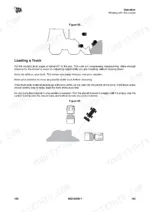
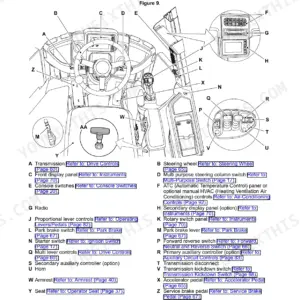
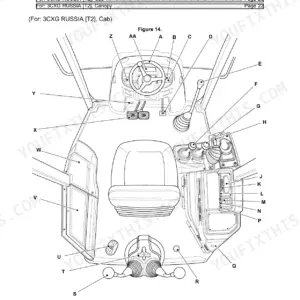
| Operation | 39-140 | Operating Safety, Worksite Safety, Risk Assessment, Walk-Around Inspection, Entering and Leaving the Operator Station, Doors, Windows |
| Attachments | 141-158 | Working with Attachments, Connecting/Disconnecting Hydraulic Hoses, Direct-Mounted Attachments, Quickhitch, Auxiliary Circuits, Hose Reel, Work Platforms, Hammer |
| Preservation and Storage | 159-164 | Cleaning, Preparation, Checking for Damage, Storage, Take Out of Storage, Security |
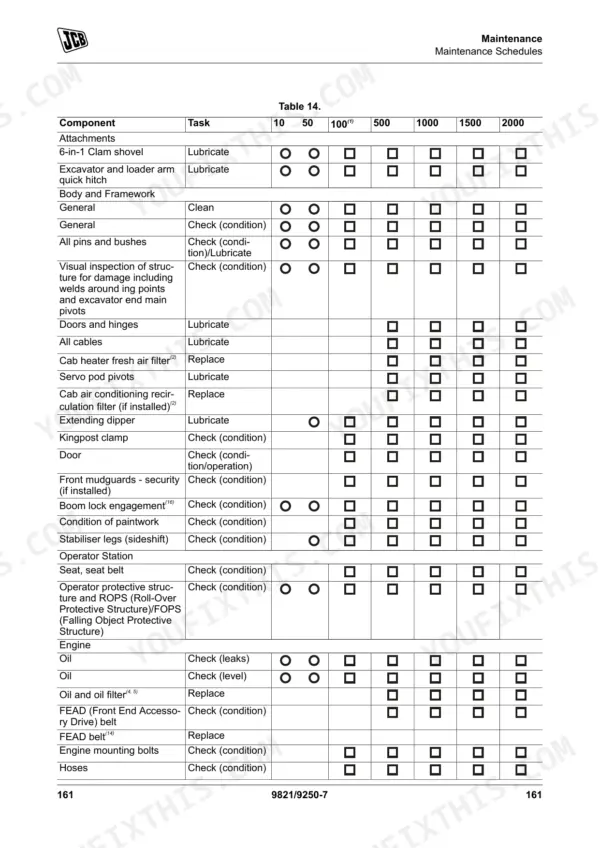
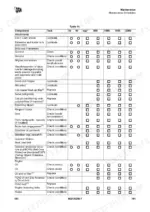
| Maintenance | 165-236 | Service/Maintenance Agreements, Maintenance Safety, Fluids and Lubricants, Maintenance Schedules, Functional Tests and Final Inspection, Maintenance Positions, Service Points |
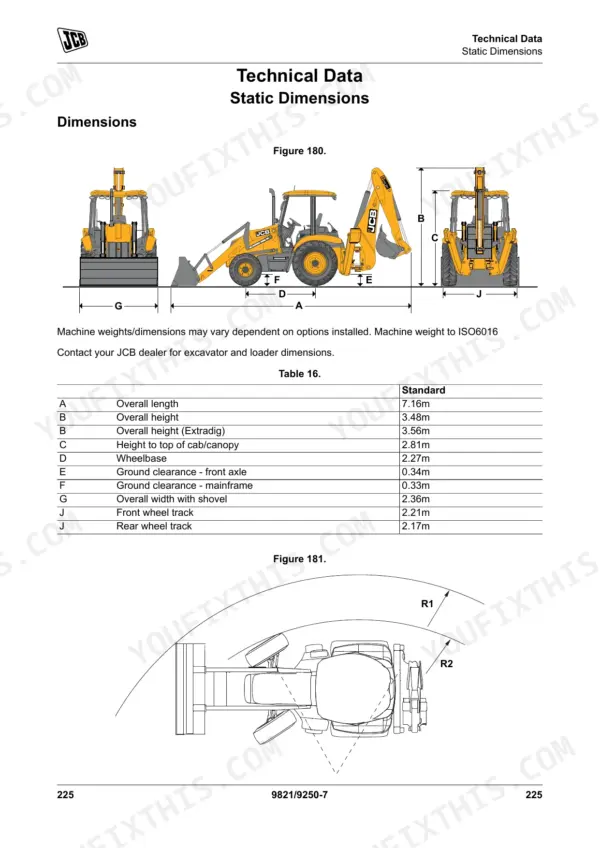
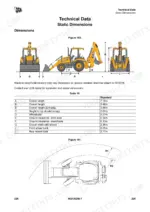
| Technical Data | 237-266 | Static Dimensions, Weights, Performance Dimensions, Driving Performance, Noise Emissions, Fluids, Lubricants and Capacities, Fuel |
Quick Reference Specifications
| Specification | Value | Page |
|---|---|---|
| ROPS/FOPS Mounting bolts torque | 205N·m | p. 248 |
| Engine Sump Drain Plug torque | 40–60N·m | p. 248 |
| Standard battery | 12V, 900 cold crank amperes | p. 249 |
| Heavy duty battery | 12V, 1000 cold crank amperes | p. 249 |
| Fuel tank capacity | 127L | p. 242 |
| Engine oil capacity (maximum) | 15L | p. 242 |
| Engine coolant capacity (dry) | 21.5L | p. 242 |
| Hydraulic system capacity | 130L | p. 243 |
| Wheel nuts torque | 680N·m | p. 248 |
| Front 4WD tyre pressure (14x17.5 x 10) | 3.8bar (55psi) | p. 256 |
| Rear 2WD tyre pressure (19.5x24 x 12) | 2.3bar (33psi) | p. 256 |
JCB 3CX Common Problems This Manual Covers
Backhoe transport lock light stays illuminated and machine will not unlock from transport mode.
Inspect the transport lock proximity switch for physical damage or mud buildup. Check the dashboard for active fault codes and address any warnings displayed. Verify the hydraulic fluid level is full at the 130L capacity mark before attempting to cycle the safety circuit.
Manual Section: OperationHydraulic lift feels weak or inconsistent when attempting to raise or lower the shovel smoothly.
Verify the hydraulic fluid level at the side sight glass. Drain and refill the reservoir to the maximum 130L capacity specified on page 243 if the fluid looks milky. Inspect all auxiliary hose quick-disconnects and cylinder rod seals for visible weepage during operation.
Manual Section: Technical Data p. 243Machine bounces excessively during road travel or pulls heavily to one side while driving.
Measure the tire air pressures while the tires are cold. Inflate the front 4WD tires to exactly 3.8bar (55psi) as instructed on page 256. Inspect the wheel studs during your 10-hour daily service interval and tighten all wheel nuts to 680N·m.
Manual Section: Technical Data p. 256Frequently Asked Questions
What are the torque specs for JCB 3CX wheel nuts?
The torque specification for JCB 3CX wheel nuts is 680 N·m. This information is found in the Technical Data section under Torque Values. p. 248
How do I reset the service light on a JCB 3CX?
To reset the service light, first ensure the machine is safe with the loader arm lowered, the park brake engaged, and the ignition switched on. Then, quickly push and release the information button until the 'time until service' screen (with the open book symbol) is displayed permanently. Finally, push and hold the information button for 20 seconds to reset the service hours. p. 82
What are the replacement specifications for Battery?
The replacement specifications for the battery are: a standard battery is 12V, 900 cold crank amperes, and a heavy duty battery is 12V, 1000 cold crank amperes. These specifications are listed in the Technical Data section. p. 249
How do you fix JCB 3CX engine stalls shortly after starting or turns over slowly in cold weather?
Check the battery terminals for corrosion and secure the connections. Test the system voltage and ensure the standard battery provides the minimum 900 cold crank amperes required on page 249. Inspect the alternator belt tension if the battery keeps dying after initial startup. p. 249
How will I receive this JCB 3CX Operator Manual?
Immediate download of the complete 266-page searchable Operator Manual. Access it on any device, from a laptop at your desk to a phone in the field.
Can I print this manual?
Yes. Print the pages or sections you need for your own shop use. Any standard printer works.


Reviews
There are no reviews yet.