

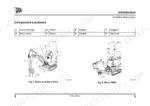
![JCB JS145W, JS160W, JS20 MH, JS145W [T4F], JS160W [T4F] operator station component location diagram and control list.](https://youfixthis.com/wp-content/uploads/2026/06/jcb-js145w-to-mh-wheeled-excavator-operator-manual-9831-5150-controls-29-300x300.webp)
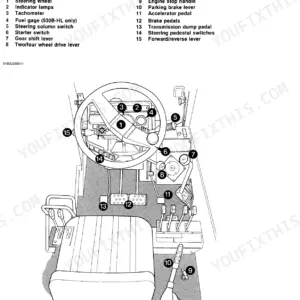
Part of the JCB Operator Manuals.
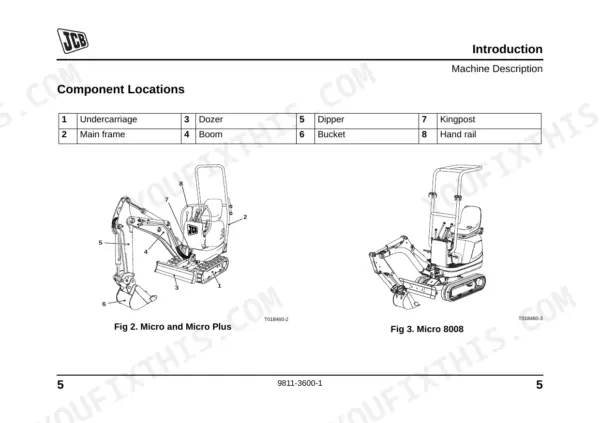
Before you climb into the seat of your JCB Micro, Tier 3, Plus, Plus Tier 3, or 8008 excavator, you need the official factory procedures inside this 266-page JCB Micro operator manual PDF (OEM #9811-3600). Inside, you get a full breakdown of cab controls, dashboard indicators, and safe operating techniques for tight jobsites. Open to the maintenance section for complete 100-hour initial service schedules, daily walk-around checklists, and step-by-step guides for installing non-quickhitch buckets. Confirm your rubber track tension is set exactly between 54 and 64 mm, and verify the 14.6-liter fuel tank is topped off before starting the shift. A skipped daily check can ruin a perfectly good machine. Download the bookmarked file, pull it up on your phone straight from the cab, and keep your excavator digging.
Complete the set for your Micro & variants
What's Inside This JCB Micro & variants Operator Manual
| System | Pages | Key Topics |
|---|---|---|
| Safety Notices | 15-16 | Important Information, Operator Manual, Safety Warnings |
| Safety Check List | 22-46 | Safety - Yours and Others, General Safety, Operating Safety, Maintenance Safety |
| Safety Decals | 47-49 | |
| Identifying Your Machine | 50-54 | Machine Identification Plate, Component Identification Plates |
| Machine Security | 55-56 | Introduction |
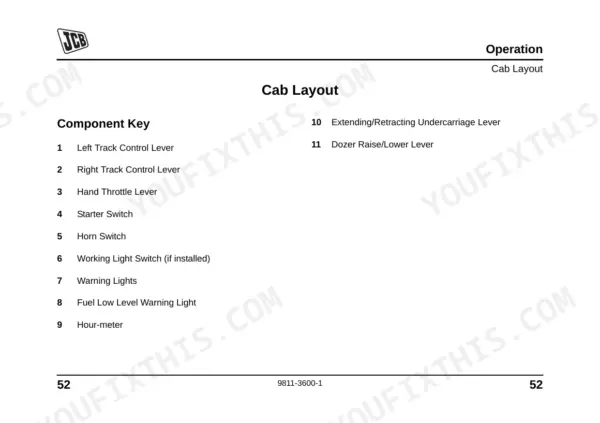
| Operation | 57-144 | Introduction, Before Mounting the Machine, Lock the Engine Cover, Mounting/Dismounting the Machine, Seat Controls, Seat Belts, Cab Layout, Drive Controls |
| Storage of the Machine | 145-148 | Introduction, Put the Machine Into Storage, During Storage, Take the Machine Out of Storage |
| Routine Maintenance | 149-224 | Service Requirements, Owner/Operator Support, Initial Service and Inspection (100 Hours), Obtaining Replacement Parts, Health and Safety, Battery, Service Schedules |
| Attachments | 225-246 | Introduction, Attachments for Your Machine, Quick Release Couplings, Bucket, Removing a Bucket - Non Quickhitch Models, Installing a Bucket - Non Quickhitch Models |
| Specifications | 247-258 | Lifting Regulations and Safe Working Loads, Static Dimensions, Performance Dimensions, Noise and Vibration Data, Vibration Data, Noise Data |
| Warranty Information | 259-266 | Machine Service Record Sheet, Registration Information |
Quick Reference Specifications
| Specification | Value | Page |
|---|---|---|
| Hydraulic hose replacement condition | must be of the same size and standard | p. 214 |
| Track tension | 54 - 64 mm (2.12 - 2.5 in.) | p. 219 |
| Track Width - Extended | 1000 mm (3ft 3in) | p. 248 |
| Battery electrolyte level | 6 mm (1/4 in) above the plates | p. 178 |
| Fuel Tank Capacity | 14.6 Litres (3.2 Gal) | p. 171 |
| Engine Oil Capacity | 4.9 Litres (1.07 Gal) | p. 171 |
| Engine Coolant Capacity | 4.5 Litres (0.99 Gal) | p. 171 |
| Hydraulic System Capacity | 21 Litres (4.62 Gal) | p. 171 |
| Engine Oil Specification (above -10°C) | JCB 15W/40 Multigrade | p. 171 |
| Coolant Antifreeze Protection (Standard) | -40 °C (-39 °F) | p. 173 |
| Main Fuse Rating | 40A | p. 199 |
JCB Micro & variants Common Problems This Manual Covers
JCB Micro excavator will not start or start-up sequence fails with no dashboard lights
Inspect the battery and main electrical connections. Verify the main fuse rating is 40A on page 199. Check the battery cells and ensure the electrolyte level sits exactly 6 mm (1/4 in) above the plates as shown on page 178. Clean any corrosion from the terminals.
Manual Section: Routine Maintenance p. 178Undercarriage makes clunking noises and rubber tracks derail frequently during normal operation
Measure the rubber track tension at the center roller. Adjust the grease cylinder until the clearance measures 54 - 64 mm (2.12 - 2.5 in.) as detailed on page 219. Inspect the rubber surface for deep cuts. Replace the tracks immediately if cut before next use per page 139.
Manual Section: Routine Maintenance p. 219Boom drifts down under load and fresh hydraulic oil pooling under the belly pan
Clean the belly pan area and inspect the hydraulic lines for seepage. Verify the hydraulic system capacity is filled to 21 Litres (4.62 Gal) according to page 171. If a hose has burst, replace it with one of the exact same size and standard per page 214.
Manual Section: Routine Maintenance p. 171Engine temperature gauge spikes into the red zone after twenty minutes of digging
Drain and flush the cooling system. Fill the radiator to the maximum mark with exactly 4.5 Litres (0.99 Gal) of fresh coolant mixture. Check page 173 to verify your antifreeze protection is rated to -40 °C (-39 °F). Inspect the drive belt tension and water pump housing for leaks.
Manual Section: Routine Maintenance p. 171Frequently Asked Questions
How do I reset the fault light on a JCB Micro excavator?
To reset fault indicators and all operations on a JCB Micro excavator, turn the starter key to the off position. This clears the fault indication and resets the machine. p. 73
What does the warning light or buzzer mean on a JCB 8008 excavator?
On a JCB 8008 Micro, the Charge Indicator A, Engine Oil Pressure Indicator B, and Coolant Indicator C light up when a fault occurs. A buzzer sounds for these faults and runs continuously for 180 seconds if ignored, then intermittently at one second on, two seconds off. p. 72
How do I clear error codes on a JCB Micro Plus or Micro Plus Tier 3?
If a fault warning light and buzzer are active on the JCB Micro Plus or Micro Plus Tier 3, set the starter key to the off position. This resets all operations and clears the fault indication. p. 73
Why won't my JCB Micro start after a battery disconnect?
If your JCB Micro won't start after a battery disconnect, ensure the positive (+) lead is fitted first when reconnecting the battery. Also, verify that the park brake is engaged, as the engine will not start otherwise. If the fuel tank was empty or the fuel system was drained, it must be primed before starting the engine. p. 193
How to reset JCB Micro Plus warning buzzer
To reset the warning buzzer on a JCB Micro Plus, set the starter key to the off position. This resets all operations, including the audible warnings for machine faults. p. 73
Is this JCB Micro & variants Operator Manual a digital download?
You get a 266-page searchable PDF that downloads instantly after checkout. Open it on your laptop, tablet, or phone, and bring it right to the shop floor.
Am I able to print pages from this manual?
Yes. Print the pages you need for the job in your own shop, and bin them when they get greasy.











Reviews
There are no reviews yet.