
Part of the New Holland Operator Manuals.
Hi-Lo clutch calibration on the electro-hydraulic power-shuttle is the trickiest job in this 285-page New Holland TN55D operator manual PDF (OEM ID 603.64.451.00). The book covers five TN-D and TN-S tractor variants and widens out to range and shuttle shift layouts, creeper and splitter units, differential lock and PTO operation. Hydraulic lift chapters take the three-point linkage through mechanical and electronic control, lift solenoid valve calibration, rear remote valves, and metal or liquid ballasting. Your service schedule runs from 10-hour checks to the 1200-hour, two-year interval, with indicator light meanings and troubleshooting charts for engine, electrical and hydraulic faults. Set both Hi and Lo clutch calibration values between 230 and 480 mA, then confirm clutch pedal travel at 150 ± 2 mm. Bookmarks and a searchable text layer take you straight to that calibration page.
What's Inside This New Holland TN55D–TN75S Operator Manual
| System | Pages | Key Topics |
|---|---|---|
| Introduction | 8-31 | To the User, Tractor Identification, Important Ecological Considerations, Always Work Safely, Working Safely, Safety Decals, Standardised Symbols, Noise Level Information |
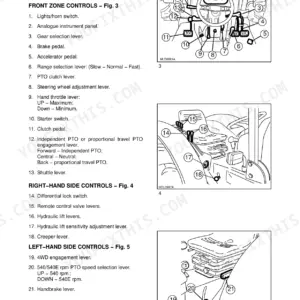
| Information | 32-47 | Safety Covers and Guards, Controls and Instruments, Towing the Tractor |
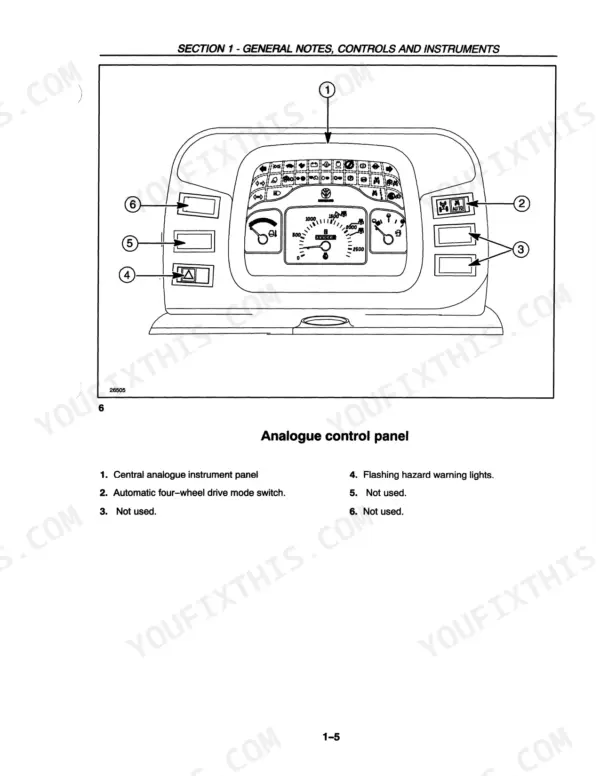
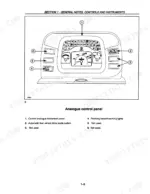
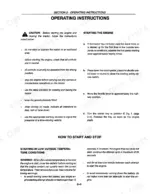
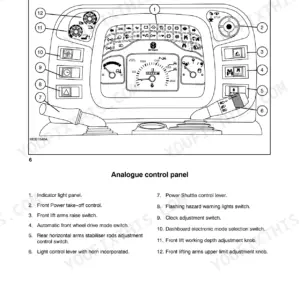
| Operating Instructions and Instrument Panels | 48-63 | Before Using the Tractor, Analogue Instrument Panel, Digital Instrument Panel, Function Indicators, Calibrating the Instrument |
| Transmission Operation | 64-85 | Light Control Lever, Electro-Hydraulic Shuttle, Mechanical Shuttle, Creeper Unit, Splitter Unit, Speed Tables |
| Hydraulic Lift and Three-Point Linkage | 86-106 | Mechanical Hydraulic Lift, Electronically Controlled Hydraulic Lift, Lift Solenoid Valve Calibration, Three-Point Linkage, Quick-Fit Implement Linkage |
| Towing and Ballasting | 107-120 | Towing Equipment, Rigid Hitch, Metal Ballasting, Liquid Ballasting, Maximum Permitted Weights |
| Steering and Wheel Track Adjustment | 121-141 | Steering Wheel Adjustment, Seat Adjustment, Wheel Track Adjustment, Steering Angle Adjustment, Tyre Combinations |
| Cab and Air Conditioning | 142-201 | Heated and Ventilated Cab, Doors, Windows, Air Conditioning Controls, Air Conditioning Maintenance, Prolonged Tractor Inactivity |
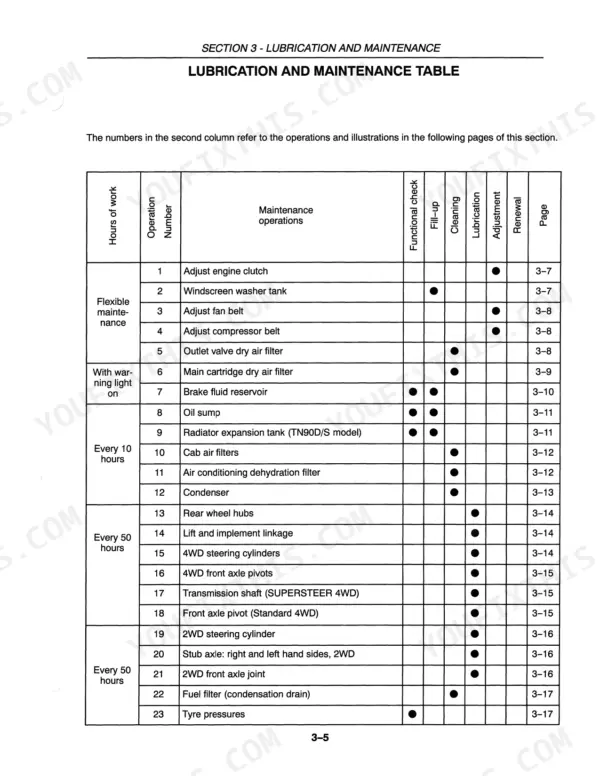
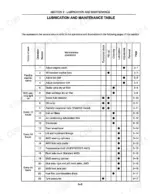
| Lubrications and Maintenance | 202-247 | Lubrication and Maintenance (Introduction, Tractor Refuelling, Access for Inspection and Maintenance) |
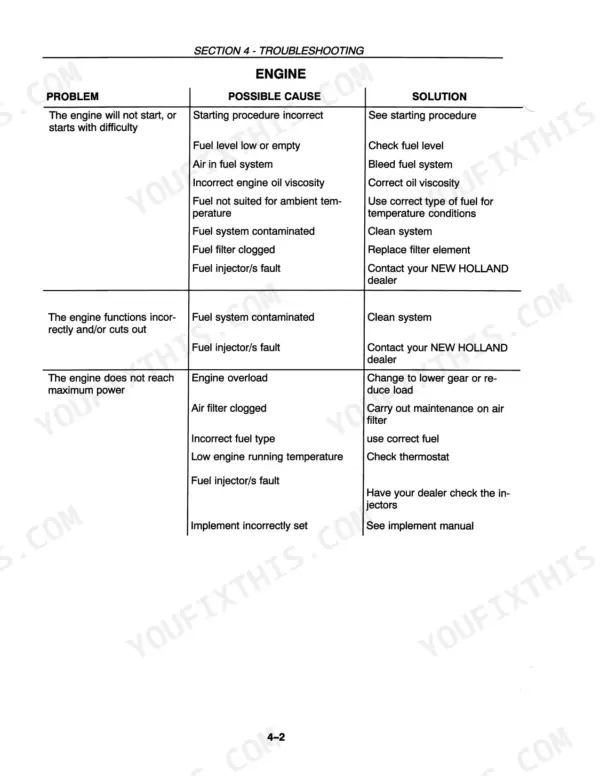
| Troubleshooting | 248-255 | Engine, Electrical System, Hydraulic System |
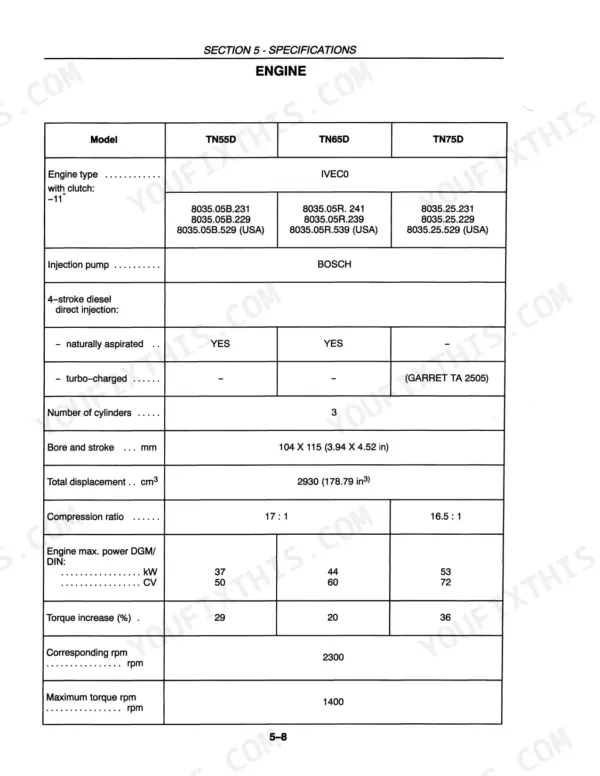
| Specification | 256-279 | Dimensions, Engine Specifications, Transmission Specifications |
Quick Reference Specifications
| Specification | Value | Page |
|---|---|---|
| Hi (B) clutch calibration value | 230mA - 480mA | p. 97 |
| Lo (A) clutch calibration value | 230mA - 480mA | p. 97 |
| Retention screws (1) and (2) fig. 131 tightening torque | 220 Nm (22.5 kgm - 162.68 ft.lb) | p. 160 |
| Steering struts fixing screws (1) fig. 132 tightening torque | 39 Nm (4 kgm - 29 ft.lb) | p. 160 |
| Transmission clutch pedal travel | 150 ± 2 mm (5.90 ± 0.07 in) | p. 208 |
| Fuel system bleeding - fuel/oil mix ratio | 10% | p. 230 |
| Transmission and services oil filter tightening | 3/4 of a turn by hand | p. 220 |
| Hi-Lo/Power shuttle oil filter tightening | 3/4 of a turn by hand | p. 220 |
| Valve clearance, timing inspection | 0.45 mm (0.017 in) | p. 264 |
| Engine Oil Capacity (without filter) | 6.7L | p. 245 |
| Engine Oil Capacity (with filter) | 7.5L | p. 245 |
| Fuel Tank Capacity | 75L | p. 245 |
New Holland TN55D–TN75S Common Problems This Manual Covers
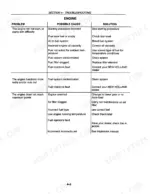
New Holland TN55D/TN75S series engine cranks but will not start, or starts with difficulty
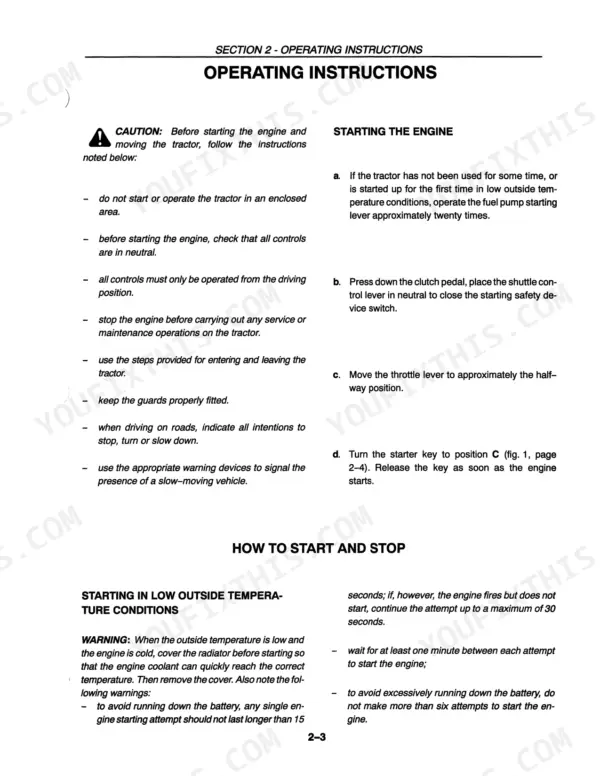
Check the starting procedure and fuel level first, then bleed air from the fuel system, clean a contaminated system and replace a clogged fuel filter element, following page 249. Stop the engine before any service work, as page 50 requires. Below 0°C (32°F), mix the diesel with Diesel Mix AREXONS antifreeze as page 52 directs. If injectors are suspect, contact your New Holland dealer.
Manual Section: Engine Troubleshooting p. 249Cooling system on the tractor engine running hot under heavy load, temperature gauge showing overheating
Verify the engine has cooled before touching the radiator cap; page 22 warns the system is pressurised, so use a cloth and unscrew it slowly to release pressure. Fill coolant to the expansion tank level, check for leaks and tighten leaking hose connectors. Clean a clogged radiator core, check the fan belt tensioner and replace a worn belt or defective cap, per pages 250 and 251.
Manual Section: Engine Troubleshooting p. 250Battery charge light stays on with the engine running and batteries not charging
Check that engine idling speed is not too low, then stop the engine (page 50 requires it before any maintenance) and check the alternator belt tensioner. Clean and tighten loose or corroded terminals. Measure battery charge, which must read at least 12.6 volts, and check electrolyte level and specific gravity per page 252. If the light persists, have the alternator checked by your dealer.
Manual Section: Electrical System Troubleshooting p. 252Hydraulic system on the tractor does not work correctly or hydraulic fluid is overheating
Check the oil level with the engine stopped, since page 50 requires stopping it before any maintenance. Page 253 lists both low and overfilled fluid as causes; rear axle, transmission and hydraulic lift oil capacity is 42L per page 245. Replace a clogged hydraulic filter and set flow regulation to a lower capacity. If the fault remains, contact your dealer before the field work stalls.
Manual Section: Hydraulic System Troubleshooting p. 253Three-point hitch lowers slowly or hydraulic lift operates slowly in draft control
Adjust the mixed draft/position control and check the lowering speed control valves following page 254, then adjust implement settings if the implement still works poorly. Stay off the implement and never stand between implement and tractor while operating the fast raise/lower control (page 29). If an electronically controlled lift shows an error code, contact your New Holland dealer immediately, as page 99 states.
Manual Section: Hydraulic Lift and Three Point Linkage Troubleshooting p. 254Implement hoses connected but the remote control does not work
Check that the hoses are joined correctly and check oil flow in the half couplers, per page 253, with the engine stopped as page 50 requires for service work. Operate the control levers; if the problem persists, replace the male couplers. Swap incorrect male couplers for standard ISO 1/2 inch connectors from your dealer. If the system is overloaded, reduce the load or use a suitable cylinder.
Manual Section: Hydraulic System Troubleshooting p. 253Frequently Asked Questions
How do I reset the transmission or hydraulic warning light on my tractor?
If the transmission is disabled due to an incorrect control sequence or system fault, you can re-enable it by moving the shuttle lever to the neutral position and/or pressing the clutch pedal fully down. If the indicator light continues to flash or remains illuminated, it may signal a system fault that requires further diagnosis or contact with a New Holland dealer. p. 79
What do the error codes on the digital instrument panel mean?
Error codes are displayed as a numerical code preceded by the letter 'U'. You can check these codes by connecting the calibration instrument as described on page 2-48, moving the shuttle lever to reverse, and turning the starter key to the second position. A table of these codes and their corresponding causes and remedies is provided on page 2-50. p. 96
How do I bleed the brake fluid circuit on a 4WD model with front brakes?
After completing the rear brake bleed procedure, clean the bleed screws (1 and 2) on the unit and the reservoir cover. Fully press the left brake pedal, keep it pressed, and loosen the bleed screw (1) on page 232, fig. 65 by half a turn to allow air to escape. Repeat this until only oil comes out, then repeat for the right-hand part of the circuit. p. 232
What is the correct engine oil capacity for the TN55D/TN65D/TN75D models?
The engine oil capacity for the engine sump without a filter is 6.7 litres (1.76 USA gals). When replacing the oil with the filter, the capacity is 7.5 litres (1.98 USA gals). p. 245
What is the correct valve clearance for the New Holland TN55D, TN65D, TN55S, TN65S, TN75S engine?
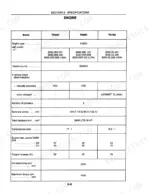
The valve clearance for both inlet and exhaust valves, when the engine is cold, should be 0.30 ± 0.05 mm (0.012 ± 0.0019 in). p. 264
Is this New Holland TN55D manual a PDF I download?
Straight to your device: 285 pages of searchable Operator Manual, downloadable the moment payment goes through.
Can I print this New Holland TN55D manual?
Yes. Print the pages or sections you need for your own shop use. Any standard printer works.






Reviews
There are no reviews yet.