Part of the New Holland Operator Manuals.
Tractor identification plates come first in this New Holland TN75FA operator manual PDF, a 220-page book (OEM 87045591) that also covers the TN85FA and TN95FA tractors. Controls and instruments get a full chapter, from the digital instrument panel and electronic module to every transmission option, range gear with mechanical shuttle through hydraulic Dual Command/Power-Shuttle. Field operation covers 4WD engagement, the differential lock, independent PTO, rear three-point linkage and remote valves, plus tire pressures, ballasting and a troubleshooting section for engine, electrical, hydraulic lift, brakes and cab. Set clutch pedal travel to 150 ± 2 mm. Tighten the engine oil filter and the transmission and services oil filter 3/4 of a turn by hand. Your service schedule runs from the 10-hour checks through 50, 300 and 900 hours to the 1200-hour items. Bookmarks and a text layer take you straight to the fusebox, and the identification plate data lets you order the right parts the first time.
What's Inside This New Holland TN75FA, TN85FA, TN95FA Operator Manual
| System | Pages | Key Topics |
|---|---|---|
| General Information and Safety Measures | 13-30 | Tractor Identification Plates, Ecological Considerations, Safety Decals, Standardized Symbols |
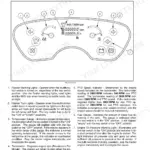
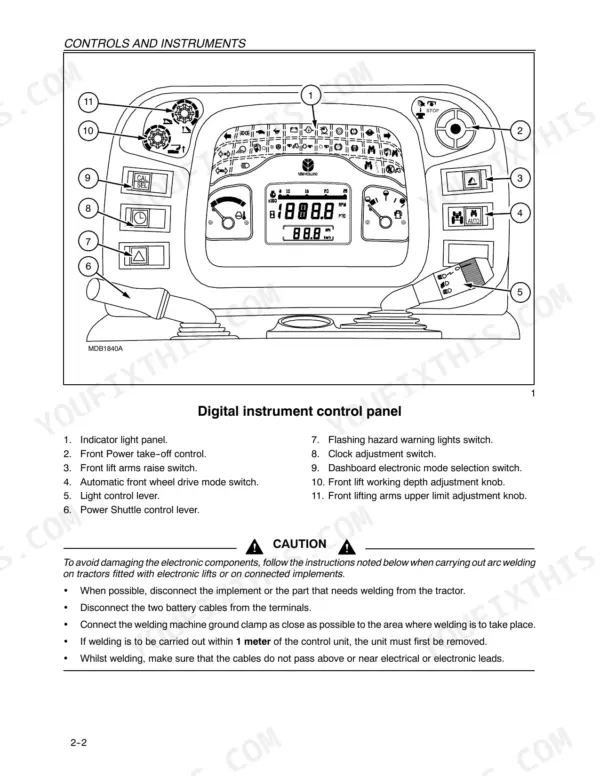
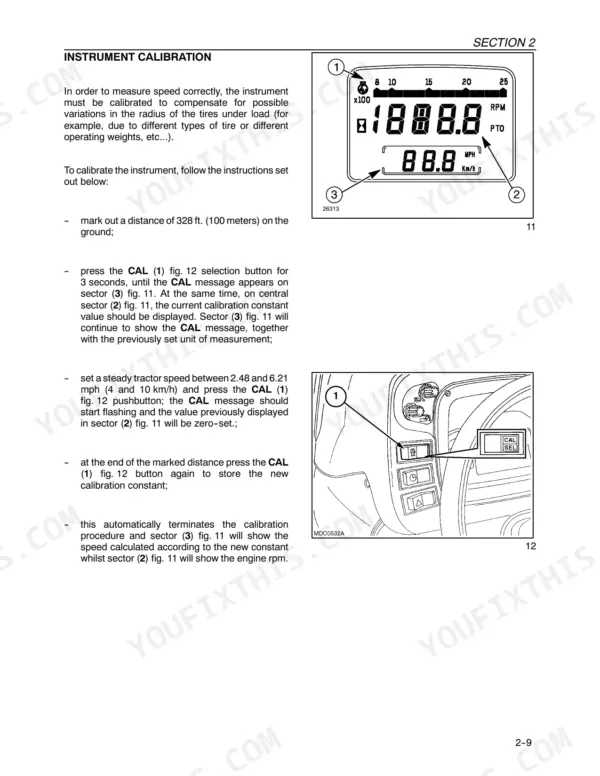
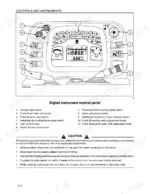
| Controls and Instruments | 31-74 | Digital Instrument Control Panel, Operation Indicator Light Panel, Electronic Module, Light Control Lever, Steering Wheel Adjustment, Cab Air Conditioning |
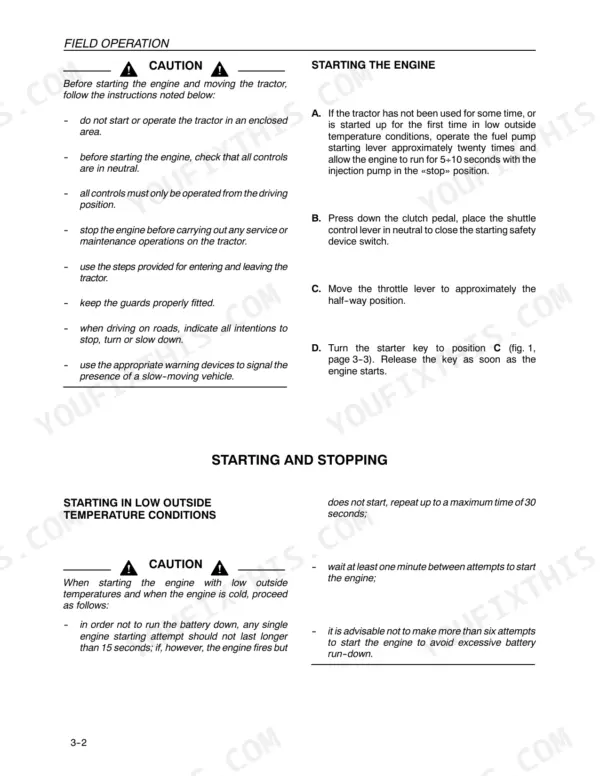
| Field Operation | 75-120 | Starting and Stopping, Brakes, Transmission Clutch Pedal, Electronically Controlled Electro-Hydraulic 4WD, Rear Differential Lock |
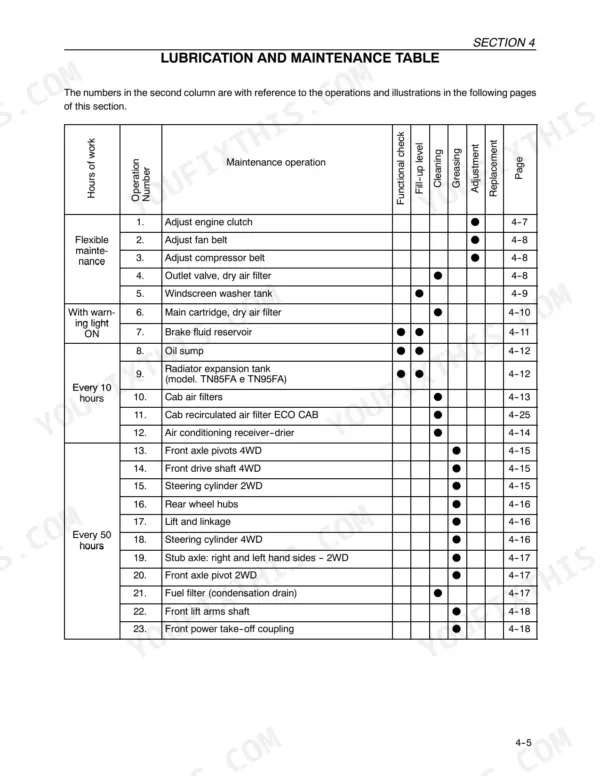
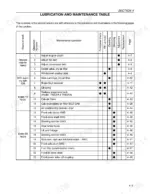
| Lubrication and Maintenance | 121-172 | Tractor Refuelling, Access for Inspection and Maintenance, Lubrication and Maintenance Table, Flexible Maintenance, Instrument Panel Warning Lights, Every 10 Hours of Work |
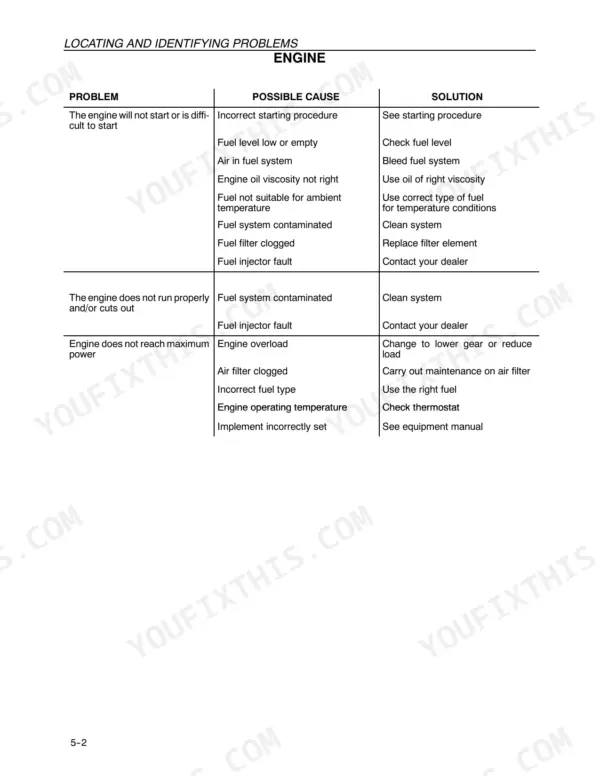
| Troubleshooting | 173-180 | Engine, Electrical System, Hydraulic System, Hydraulic Lift, Brakes, Cab |
| Prolonged Tractor Inactivity | 181-182 | Engine Protection, Battery Maintenance, Fuel Tank, Tire Pressure, Tractor Cleaning |
| Accessories | 183-198 | Front PTO, Electronically Controlled Front Hydraulic Lift, Front Implement Three-Point Linkage, Towing Equipment, Mid-Mount Auxiliary Remote Control Valves |
| Specifications and Data | 199-212 | Engine, Fuel System, Transmission, Rear PTO, Front PTO, Hydraulic Lift |
| First 50-Hour Service Forms | 213-216 | Non Functional Inspections, Operational Inspections, Functional Inspections, Safety Equipment Inspections |
Quick Reference Specifications
| Specification | Value | Page |
|---|---|---|
| All Models | ||
| Transmission clutch pedal travel | 150 ± 2 mm | p. 127 |
| Transmission and services oil filter tightening | 3/4 of a turn by hand | p. 140 |
| Engine oil filter tightening | 3/4 of a turn by hand | p. 141 |
| Lift arms travel calibration weight | 100 kg | p. 190 |
| Fuel tank capacity (main tank) | 8.0 gal (36.5 liters) | p. 170 |
| Fuel tank capacity (side tank) | 5.6 gal (25.5 liters) | p. 170 |
| Engine oil capacity (with filter) | 2.3 gal (10.5 liters) | p. 170 |
| TN75FA | ||
| Torque increase | 31% | p. 203 |
| TN75FA, TN85FA | ||
| Cooling system capacity (without cab, TN75FA/TN85FA) | 2.3 gal (10.5 liters) | p. 170 |
| Cooling system capacity (with cab, TN75FA/TN85FA) | 2.7 gal (12.5 liters) | p. 170 |
| TN95FA | ||
| Cooling system capacity (without cab, TN95FA) | 2.5 gal (11.5 liters) | p. 170 |
| Cooling system capacity (with cab, TN95FA) | 2.9 gal (13.5 liters) | p. 170 |
New Holland TN75FA, TN85FA, TN95FA Common Problems This Manual Covers
New Holland TN75FA TN85FA TN95FA tractor engine overheating while pulling a loaded implement in the field
Check that the engine has cooled before opening the radiator. Page 26 warns the system is pressurised, so use a cloth and unscrew the cap slowly to release pressure. Top up coolant in the expansion tank, check for leaks and tighten hose connectors. Clean a clogged radiator core, check the fan belt tensioning device and replace a defective cap per page 175. If pulling hard, shift to a lower gear or reduce load.
Manual Section: Engine Troubleshooting p. 175Battery charge light stays on with the engine running and the batteries not charging
Check idle speed and raise it if low, then inspect the alternator belt tensioning device and replace a loose or worn belt per page 177. Clean and tighten the battery terminals. Measure battery charge for at least 12.6 volts, then check electrolyte level and specific gravity. A flashing charge light means excessive charge voltage, so have your dealer check the alternator.
Manual Section: Electrical System Troubleshooting p. 177Hydraulic fluid overheating while running implements off the tractor remote control valves
Check the hydraulic fluid level and correct it if it is too high or too low, following the hydraulic chart on page 178. Replace a clogged filter element, then set the flow regulation to a lower capacity. If remote hoses will not join properly, replace the couplers with standard ISO 1/2 inch connectors from your dealer.
Manual Section: Hydraulic System Troubleshooting p. 178Hydraulic lift operates slowly in draft control with an implement on the three-point hitch
Adjust the combined draft/position control first, following the lift chart on page 179. Then check the implement settings and adjust them if it is not working properly. Never climb on the implement or between it and the tractor while the hydraulic lift external electronic controls are enabled (page 27). If lowering speed is still too slow, or the lift runs too fast in draft control, have the valves checked.
Manual Section: Hydraulic Lift and 3-Point Coupling Troubleshooting p. 179PTO system non-operative with a fault code flashing on the indicator light
Count the flashes following page 187: five rapid flashes, a 2 second pause, the first digit, a 1 second pause, then the second digit. Match the code on page 186. Codes 18 and 19 point to a battery and/or alternator fault, while codes 37 and 38 call for your dealer. Page 71 directs you to contact New Holland personnel immediately when fault codes appear.
Manual Section: Power Take-Off (PTO) Fault Codes p. 186Cab air conditioning not cooling properly with bubbles showing in the dehydrating filter inspection glass
Clean the radiator, oil exchanger and condenser, then check the automatic belt tensioning device and belt condition per page 180. Turn the temperature control fully anticlockwise. With the engine and fan running, watch the inspection glass. If bubbles remain, stop the system and contact your dealer as page 55 directs. Never disconnect A/C piping; page 28 restricts servicing and recharging to New Holland personnel.
Manual Section: Cab Troubleshooting p. 180Frequently Asked Questions
How do I calibrate the lift arms travel on my tractor?
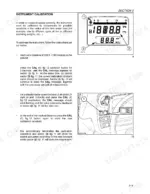
To calibrate the lift arm travel, apply a 100 kg weight to the lift arms, turn the potentiometers (1 and 2) to their full clockwise and counter-clockwise positions respectively, and follow the sequence of switch operations (A and B) as detailed on page 190. This procedure must be performed by authorized personnel if the potentiometer is replaced or if memory is cleared. p. 190
What is the procedure for bleeding the fuel system?
To bleed the fuel system, unscrew the bleed plug (1) on the fuel filter by two turns, then move the lever (1) on the fuel pump until fuel without air bubbles spurts out. Tighten the plug, move the lever a few more times, and then loosen the injector connectors to allow air to escape while turning the starter motor. Reconnect the injectors and start the engine. p. 152
What is the correct engine oil level check procedure?
Check the engine oil level on a flat surface with the engine switched off. Allow at least five minutes for the oil to settle in the sump, then remove the dipstick, clean it, and reinsert it. The oil level must be between the 'MIN' and 'MAX' marks on the dipstick. p. 132
What is the specified valve clearance for the engine on the New Holland TN75FA, TN85FA, TN95FA?
The valve clearance for both inlet and exhaust valves, when the engine is cold, should be 0.30 ± 0.05 mm. This inspection must be carried out by trained personnel at your local dealer. p. 144
How do I adjust the engine/gearbox clutch pedal travel?
The travel 'A' on the transmission clutch pedal should be 150 ± 2 mm for all models. To adjust, release the locknut (2) and turn the nut (3) counter-clockwise until the correct distance is achieved, then tighten the locknut and re-check the travel. p. 127
Will this New Holland TN75FA Operator Manual download right away?
Instant PDF download. You get the full 220-page searchable Operator Manual immediately after payment. Open it on your laptop, tablet, or phone right in the shop.
Is printing allowed for this New Holland TN75FA Operator Manual?
Yes. Print the sections you need to take out to the shop for your own use. Standard letter or A4 paper works.